Removing the Transfer Roller
1. Turn off the printer.
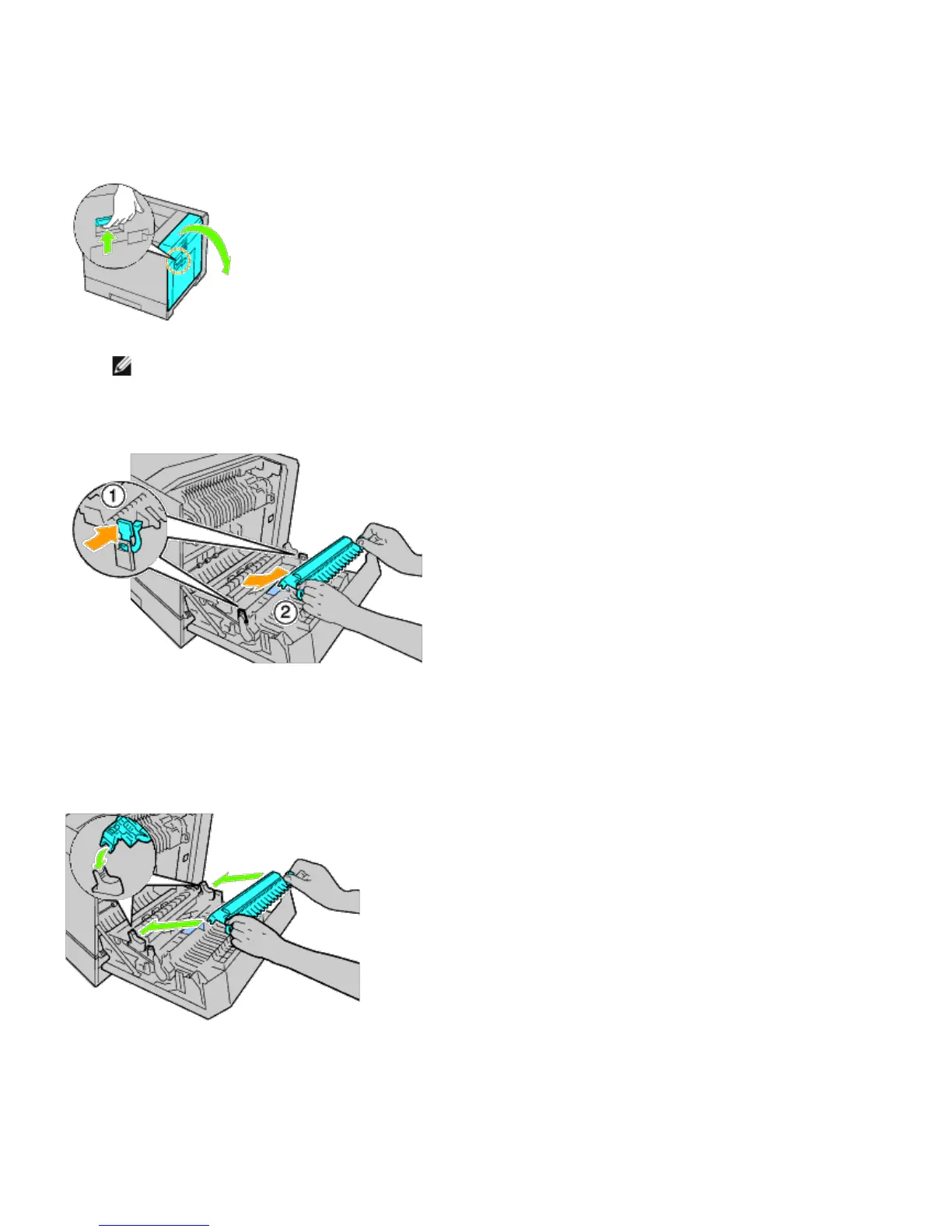
2. Raise the latch of the right hand cover and open the cover.
NOTE: Stand straight in front of the right hand cover and not in front of the front cover, whenever you open
the right hand cover.
3. Unlock the two levers on the transfer roller and lift up the roller to remove it.
Installing a Transfer Roller
1. Grasp the levers on both sides of the new transfer roller and align the arrows on the transfer roller with the arrows
inside the printer.
2. Lower the front of the transfer roller until the roller clicks into place.













 To Next Page