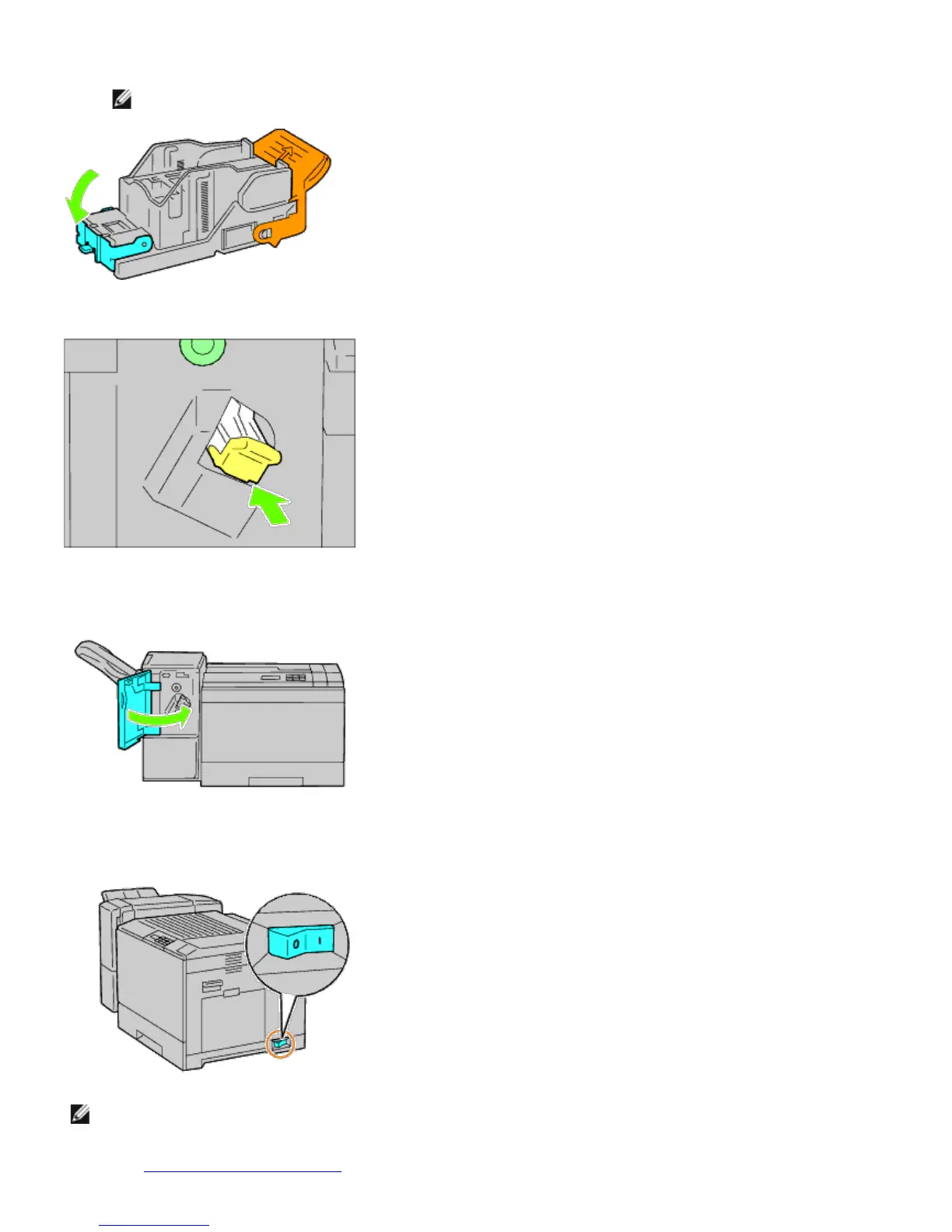
24. Remove the packing material from the stapler cartridge.
NOTE: Ensure that the metal part is lowered as shown in the illustration below.
25. Insert the stapler cartridge in the output expander.
26. Close the front door of the output expander.
27. Turn on the printer.
NOTE: If a message displays telling you to make initial setup on the operator panel, always do as instructed.
28. Print a printer settings page to verify the output expander is installed correctly by following the instructions below.
See "
Printing Printer Settings Page."













 To Next Page