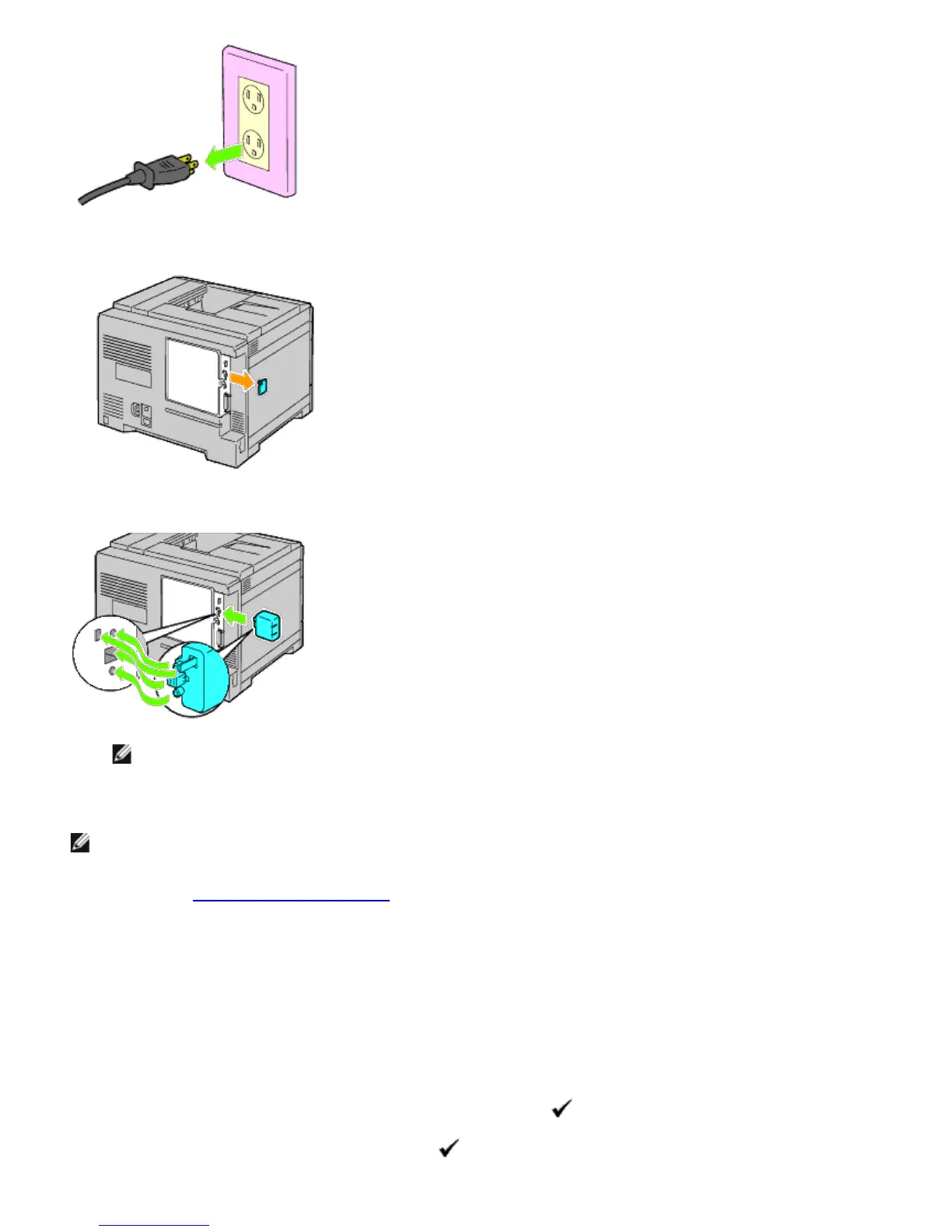
2. Remove the cap from the wireless adapter socket.
3. Align the connector and the three protrusions of the wireless adapter with the four holes and insert the adapter.
NOTE: Ensure that the adapter is fully inserted and secured.
4. Reconnect the power cable and turn on the printer.
NOTE: If a message displays telling you to make initial setup on the operator panel, always do as instructed.
5. Print the printer settings page to verify that the wireless adapter is installed correctly by following the instructions
below. See "
Printing Printer Settings Page."
Printing Printer Settings Page
When Using the Operator panel
a. Press the Menu button.
b. Ensure Report/List is highlighted, and then press the (Set) button.
c. Printer Settings is displayed. Press the (Set) button.













 To Next Page