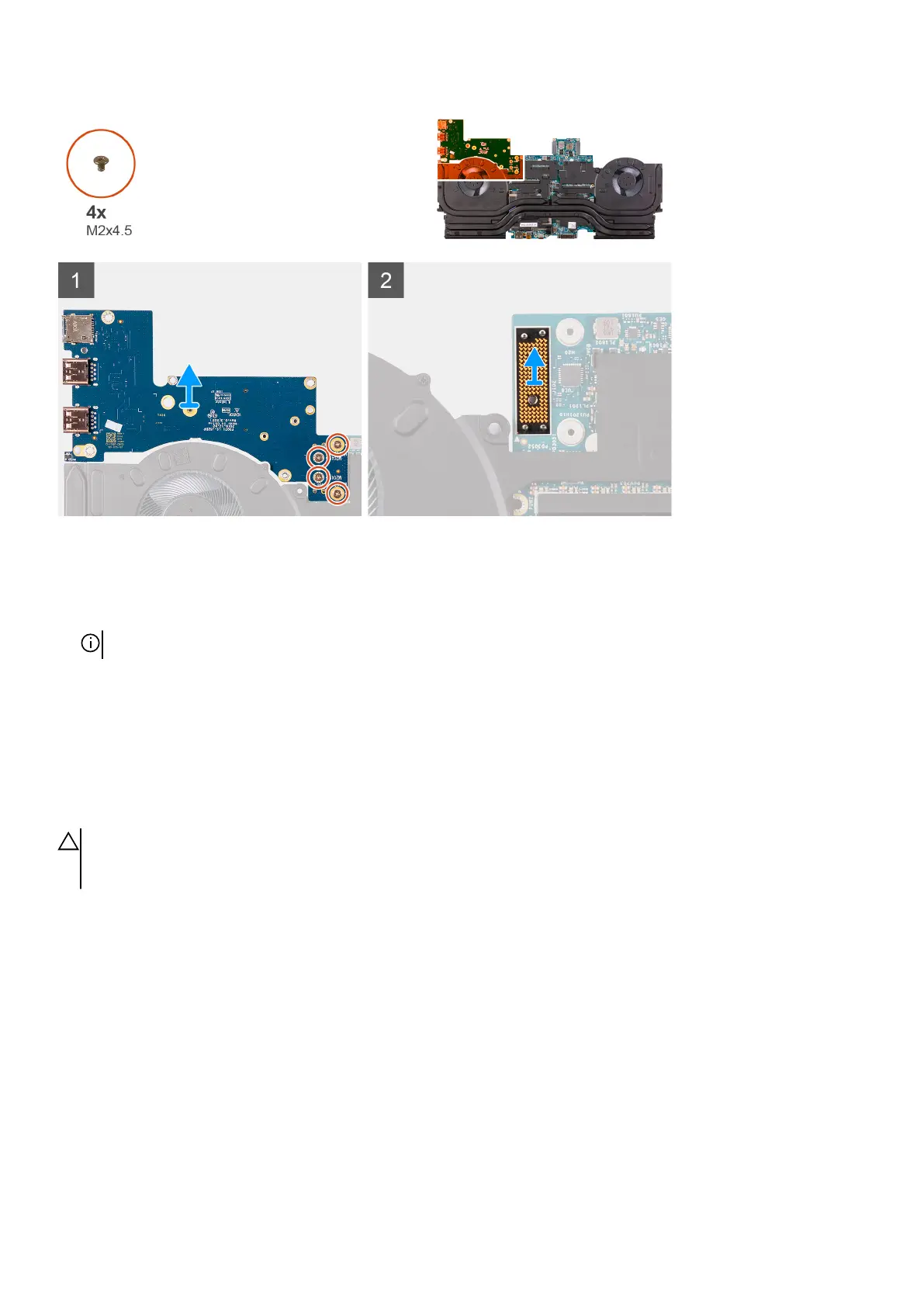
Steps
1. Remove the four screws (M2x4.5) that secure the left I/O-board to the system board.
2. Lift the left I/O-board off the system board.
3. Lift the interposer board off the system board.
NOTE: The interposer may come off with the I/O board.
Installing the left I/O-board
Prerequisites
If you are replacing a component, remove the existing component before performing the installation procedure.
About this task
CAUTION: The interposer board is installed between the left I/O-board and system board. Install the interposer board
before installing the left I/O-board. Handle the board by lifting and holding from the edges or the sides as the pins on the
interposer board are fragile.
The following image indicates the location of the left I/O-board and provides a visual representation of the installation procedure.
50













 To Next Page