Steps
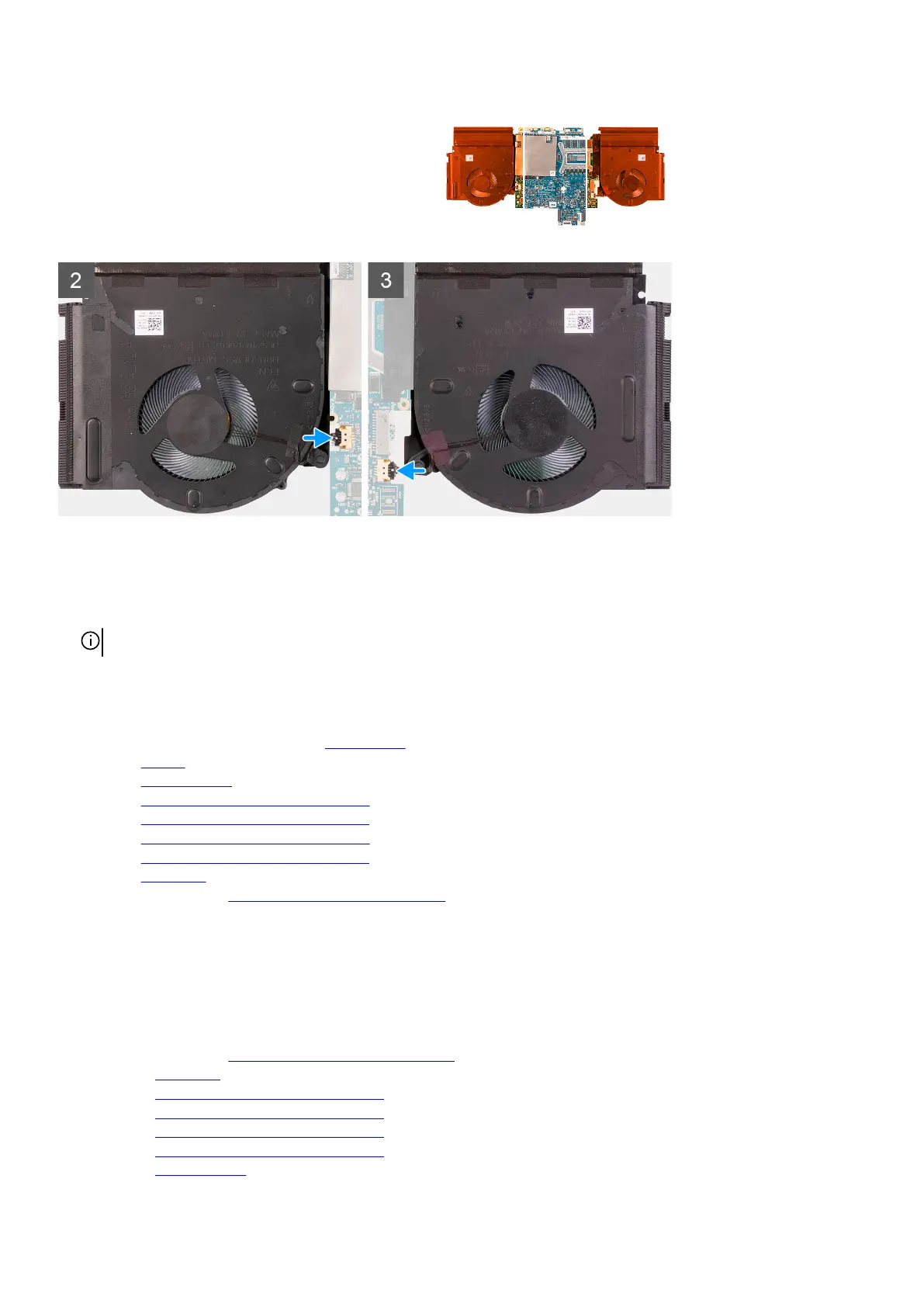
1. Place the fan and heat-sink assembly on the system board.
2. In sequential order (1>2>3>4>5>6>7>8>9>10), replace the ten screws (M2x3) that secure the fan and heat-sink assembly to
the system board.
NOTE: The number of screws varies depending on the configuration ordered.
3. Connect the left and right fan cables to the system board.
Next steps
1. Follow step 3 to step 22 in installing the system board.
2. Install the battery.
3. Install the rear I/O-cover.
4. Install the 2280 solid-state drive in M.2 slot two, if installed.
5. Install the
2230 solid-state drive in M.2 slot two, if installed.
6. Install the 2280 solid-state drive in M.2 slot one, if installed.
7. Install the 2230 solid-state drive in M.2 slot one, if installed.
8. Install the base cover.
9. Follow the procedure in
After working inside your computer.
Power-adapter port
Removing the power-adapter port
Prerequisites
1. Follow the procedure in
Before working inside your computer.
2. Remove the base cover.
3. Remove the
2230 solid-state drive in M.2 slot one, if installed.
4. Remove the 2280 solid-state drive in M.2 slot one, if installed.
5. Remove the 2230 solid-state drive in M.2 slot two, if installed.
6. Remove the 2280 solid-state drive in M.2 slot two, if installed.
7. Remove the rear I/O-cover.
54













 To Next Page