Setting up your keyboard │ 12
Setting up your keyboard
Bluetooth wireless connection mode
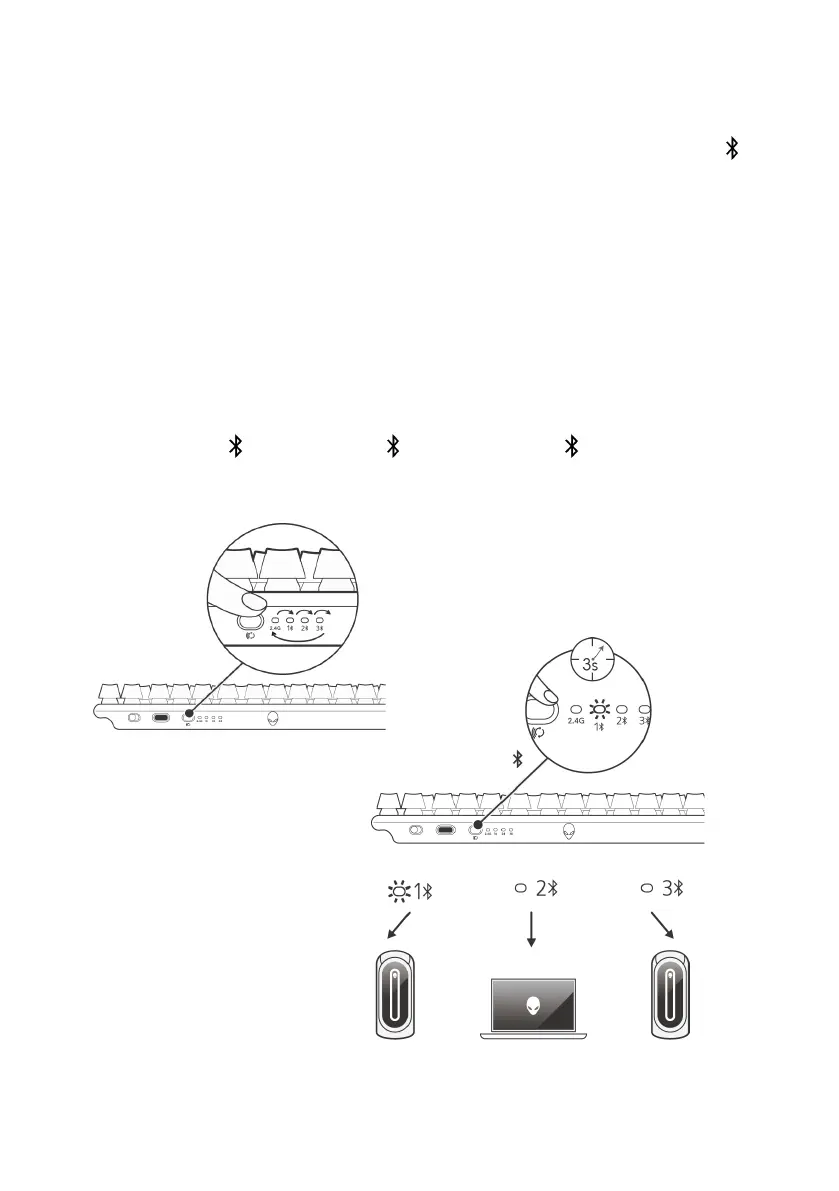
1. Press the connection mode button to switch from 2.4G to Bluetooth 1(1 ).
Keyboard RGB blinks to indicate connection mode change.
2. Press and hold the connection mode selection button for three seconds to
activate Bluetooth pairing.
3. Check your computer to view the new Bluetooth device. There will be
pop-up notification with PIN, enter the PIN to connect to new Bluetooth
device.
4. To connect to a different computer, you can switch between
Bluetooth 1 (1 ), Bluetooth 2 (2 ), or Bluetooth 3 (3 ), and repeat the
above steps for a new connection.



 To Next Page