Charging your keyboard │ 14
Charging your keyboard
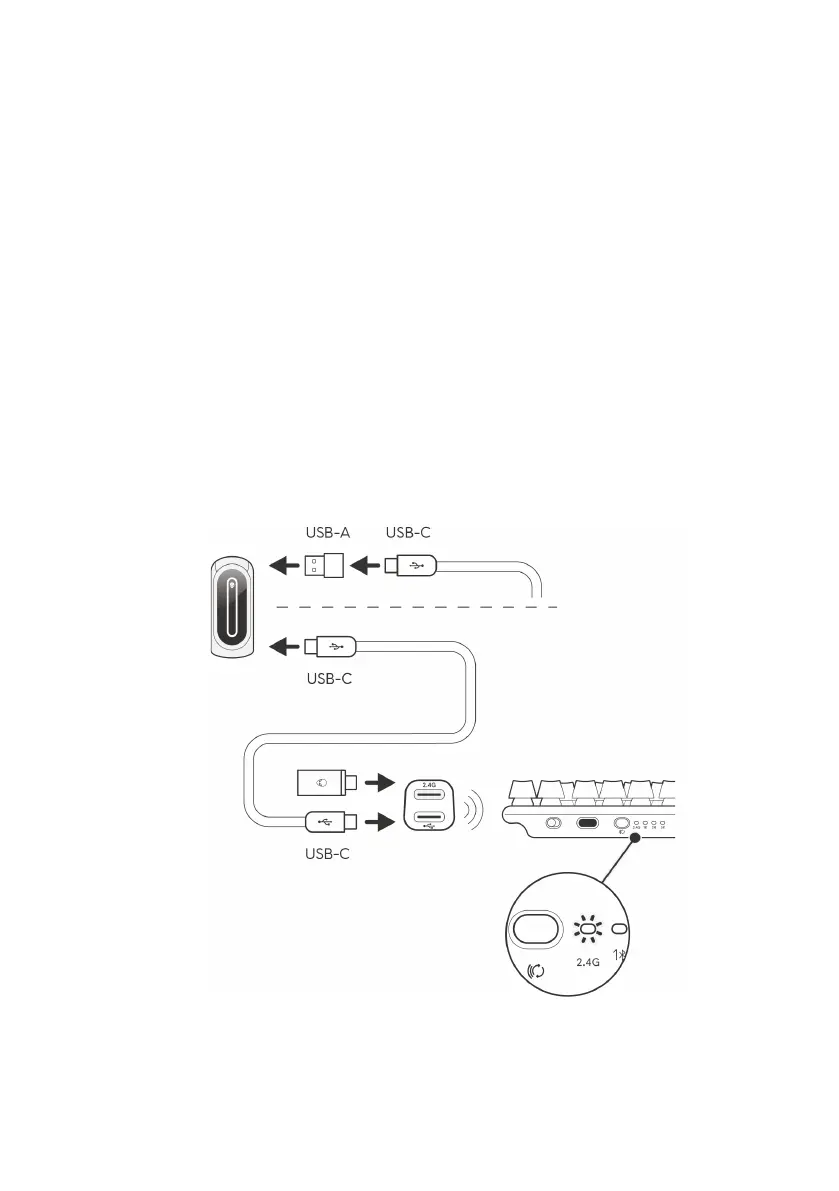
Using USB-A to USB-C adapter
Connect the USB-C end of the cable to the USB-A to USB-C adapter and
the USB-A end of the adapter to your computer and the other end of the
cable to the keyboard.
Using the USB-C to USB-C cable
Connect the USB-C end of the cable to your gaming keyboard and connect
the USB-C end of the cable to the USB-C port on your computer. When the
keyboard is charging, the Profile key lights up in amber color.
- The estimated time to fully charge your keyboard with the cable is 4.5 hours
with 1.5 A input current.
- The estimate time to full charge with the cable provided is 7 hours by using
standard USB 3.0 ports is seven hours.
- The estimate time to full charge with the cable provide is 12 hours by using
standard USB 2.0 ports is 12 hours.



 To Next Page