Alienware Command Center (AWCC) │ 26
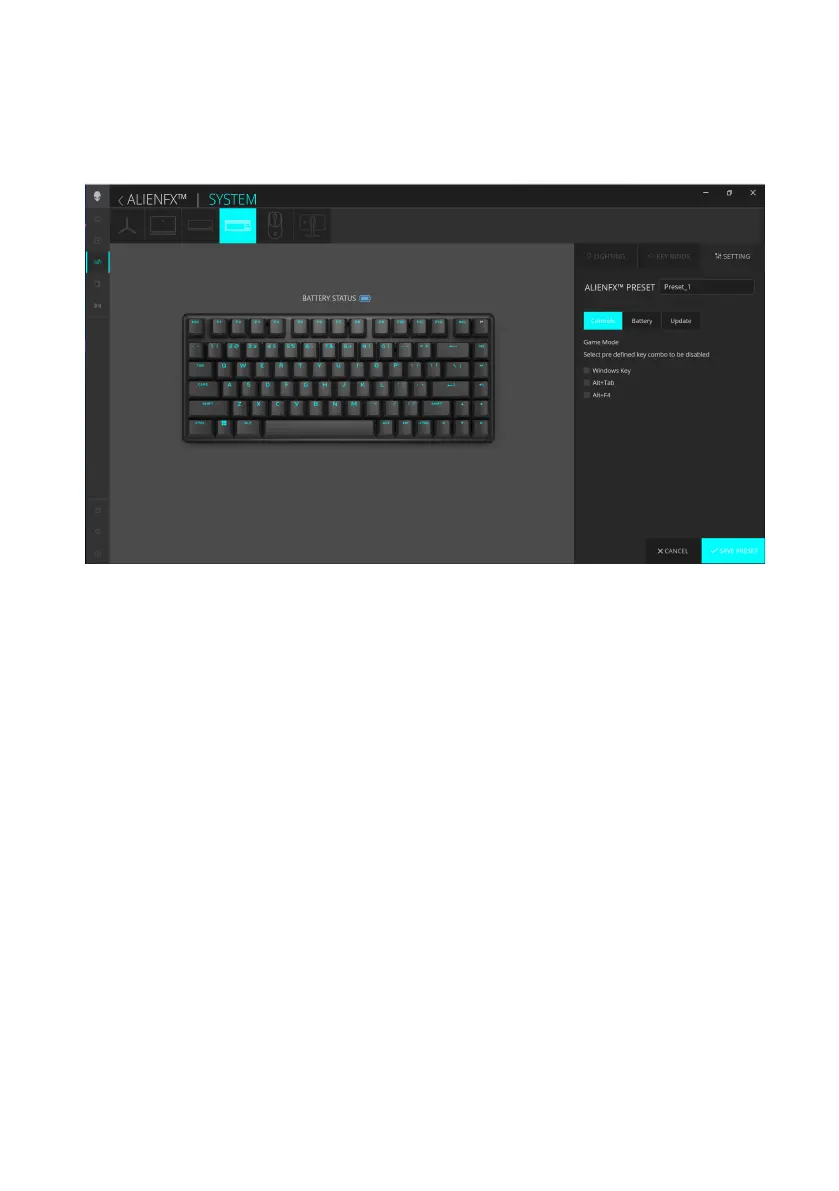
Controls
Pro Wireless Gaming Keyboard enables you to disable the Win key and other
key combinations.
1. Click the ALIENFX icon.
2. In the SYSTEM tab, select ALIENFX PRESET. Click SETTING from the
right panel, and then click Controls.
3. Select the Win key or a key combination to disable:
a. Windows Key – Disable the key that opens the Windows Start menu.
b. Alt+Tab – Disable the key combination shortcut to open the task view.
c. Alt+F4 – Disable key combination shortcut to close the current
application.
4. Click SAVE PRESET to save your changes.
Alienware Command Center (AWCC)



 To Next Page