Alienware Command Center (AWCC)
│
25
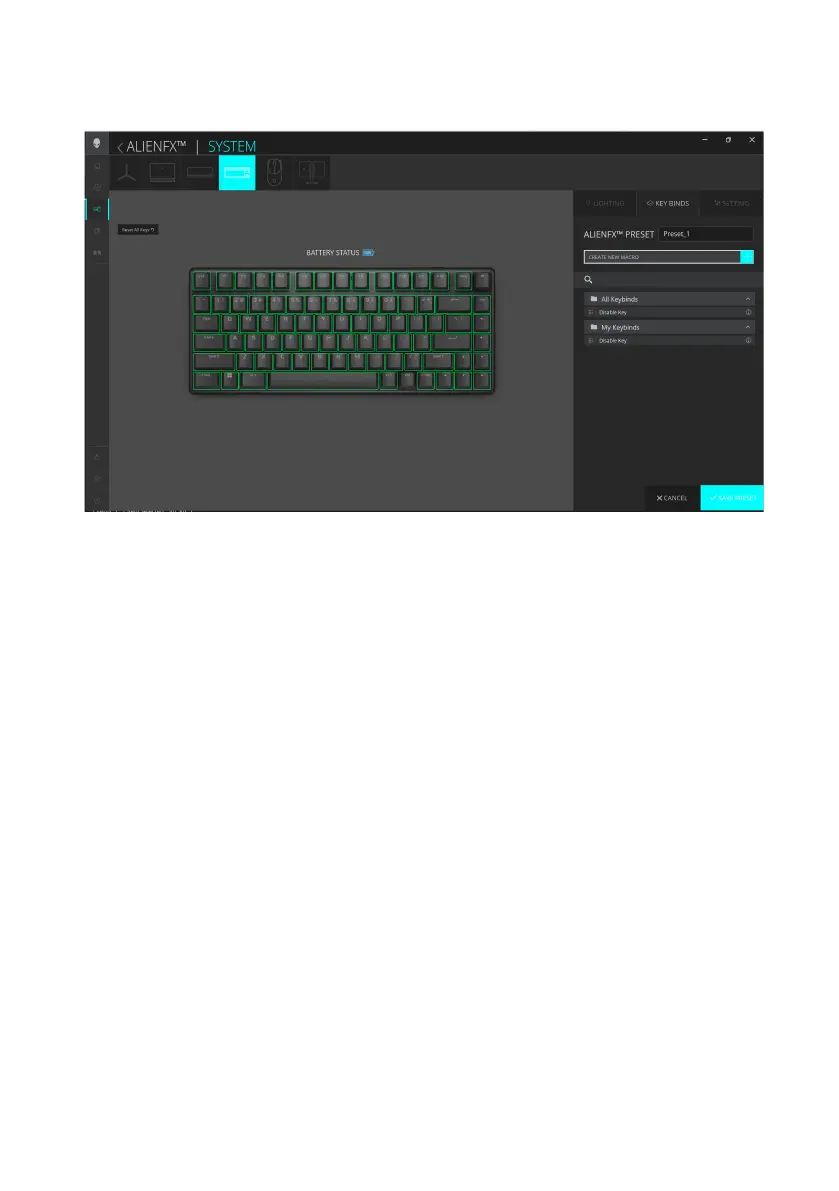
Keybind assignment
1. Click the ALIENFX icon.
2. In the SYSTEM tab, select ALIENFX PRESET. Click KEY BINDS from the
right panel.
3. Drag an existing Keybind from the All Keybinds or My Keybinds folder and
drop it on any of the keys except the Profile key. There is one predefined
keybind that cannot be customized:
a.Disable key– Disable the function of a key.
4. Click SAVE PRESET to save your changes.
Alienware Command Center (AWCC)



 To Next Page