Product overview
│
5
Product overview
3
1
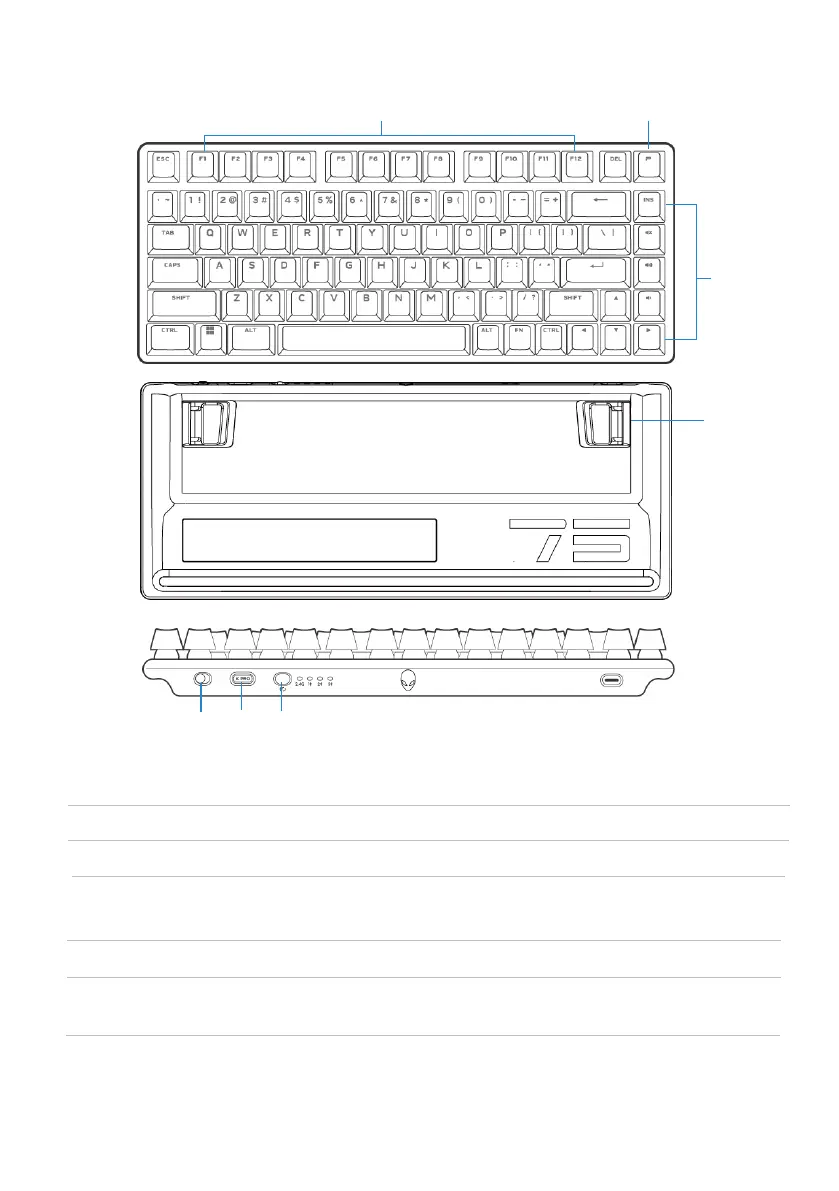
3 Dual-angle adjustable feet
1 Function keys
Enables you to adjust the keyboard
feet tilts in two different angles.
Enables secondary function.
Description Callout features
2
2 Profile key
Toggles between five keyboard lighting effects.
1
4 5
6
4 Power slider Turn on or turn off the keyboard.
5 Type-C dongle storage
dongle
Press to take out or place the Type-C
dongle in the slot.
6 Mode switch button Toggle to switch keyboard connection
mode.



 To Next Page