Setting up your keyboard
│
13
Wired connection mode
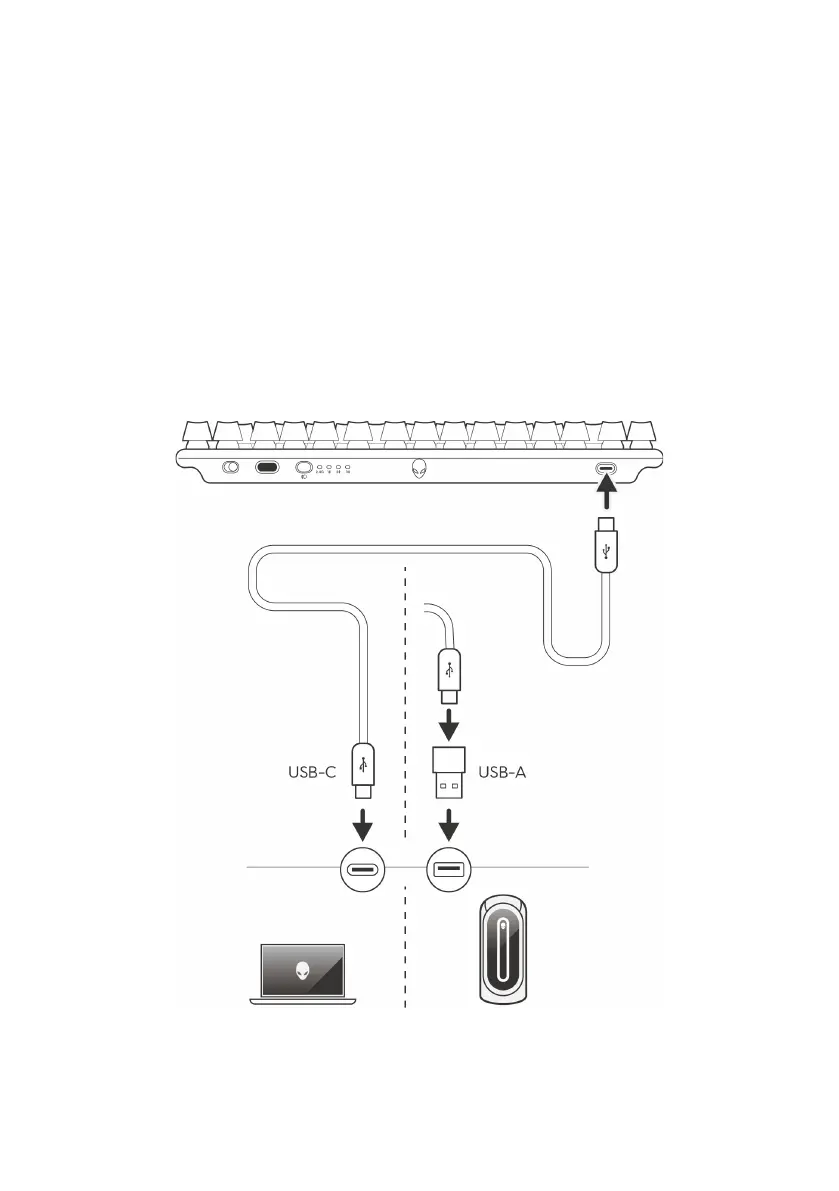
Your computer may have a Type-C or Type-A port. If your computer has a
Type-C port, connect your keyboard to the computer through the USB-C
to USB-C cable (default). If your computer has a Type-A port, connect your
keyboard to the computer using the USB-C to USB-C cable through the
USB-A to USB-C adapter.
When the keyboard is connected to your computer through the wired cable,
the connectivity switches from wireless or Bluetooth to wired connection (USB).
Wired mode takes priority and disables the multidevice connectivity..
Setting up your keyboard



 To Next Page