Charging your keyboard │ 16
NOTE: Handle the keycaps and the switches gently (keycaps and switches not
covered by warranty).
Removing keycaps and swapping switches
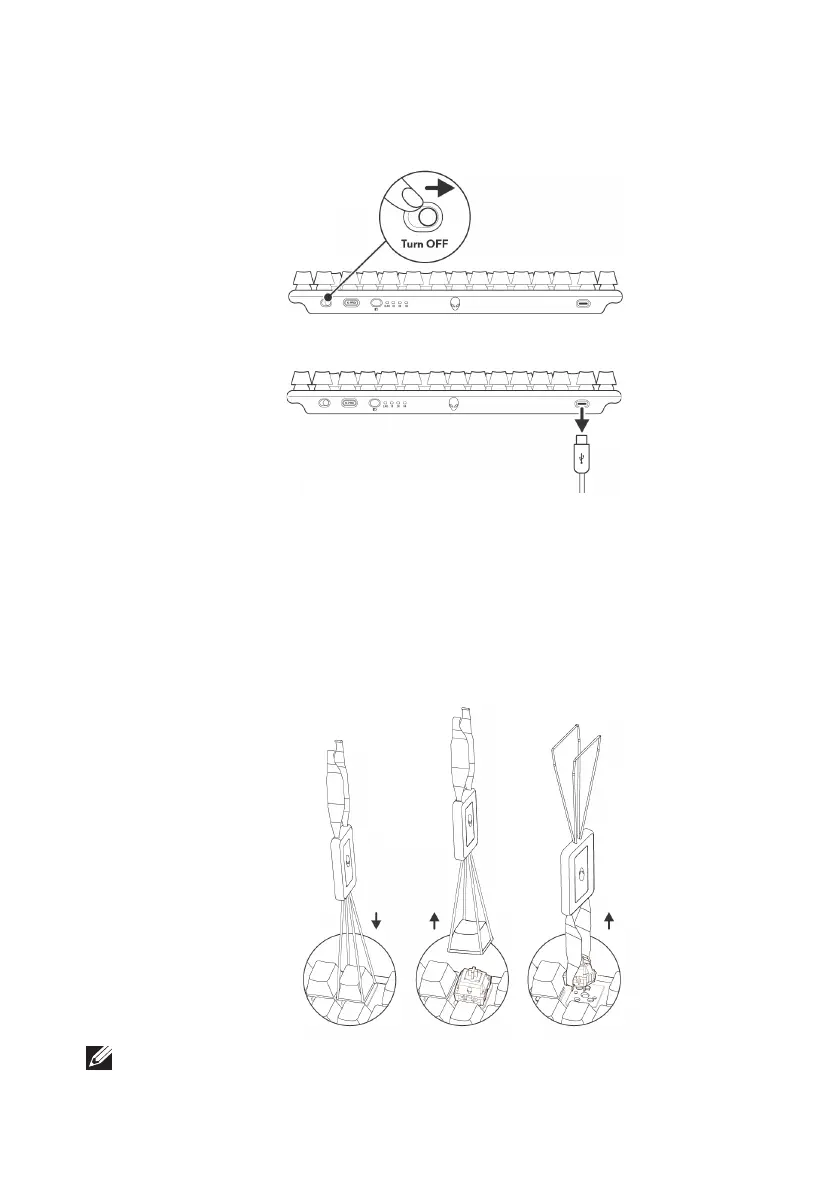
1. It is recommended to turn OFF keyboard. Switch the power slider on the
keyboard.
2. It is recommended to unplug cable from the keyboard before removing switches.
3. It is recommended to use an antistatic or ESD wrist band while working on
switch replacement..
4. Use the keycap puller to clamp on a keycap and gently pull upwards to
detach the keycap from the switch.
5. Use the switch puller to clamp on a switch and gently pull upwards to
remove the switch from the keyboard.
6. Align the switch pins to respective sockets and gently press new switches
into the printed circuit board (PCB). Ensure that they are aligned correctly,
and snap into place.
Charging your keyboard



 To Next Page