159Routine Maintenance
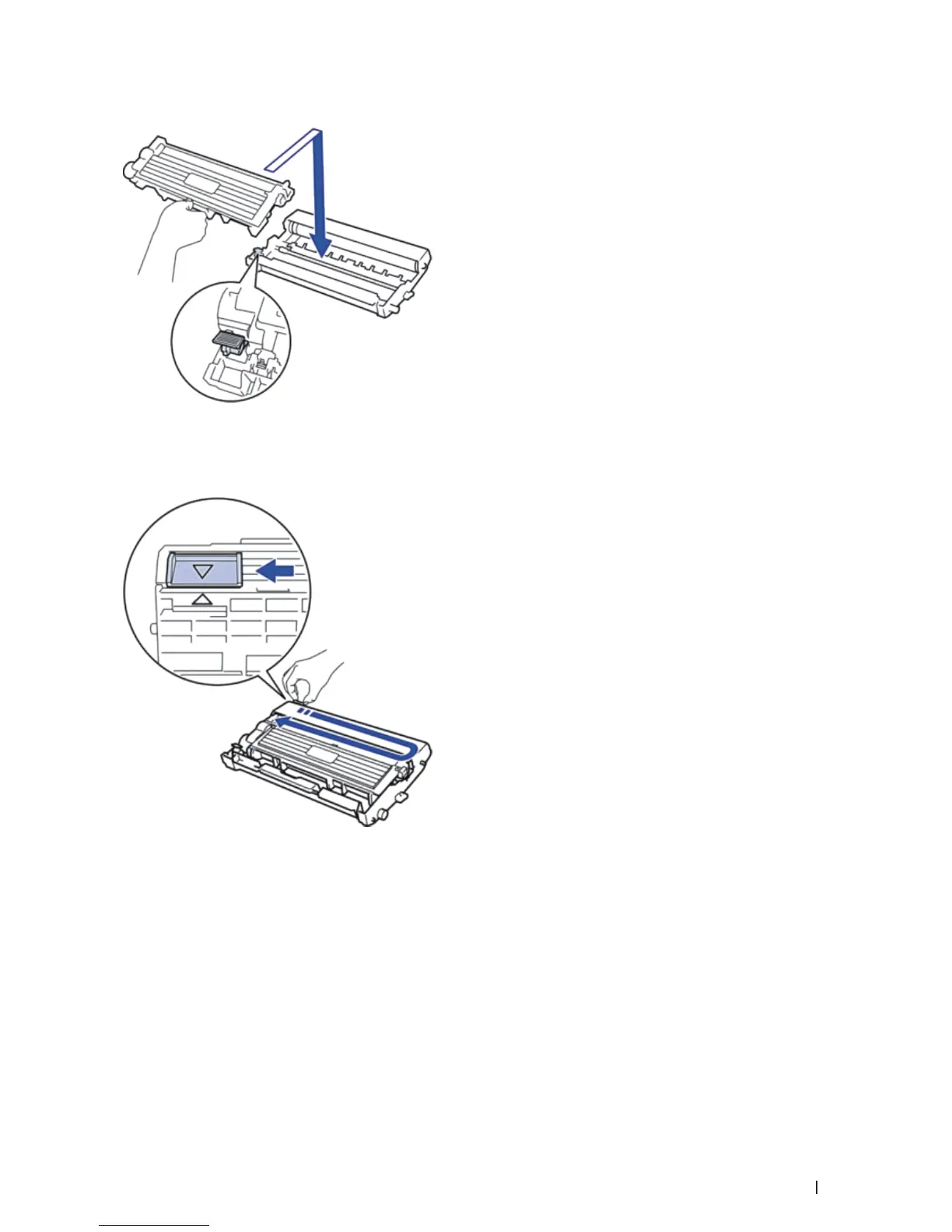
7. Put the new toner cartridge firmly into the drum unit until you hear it lock into place.
NOTE: Make sure you put the toner cartridge in correctly or it may separate from the drum unit.
8. Clean the corona wire inside the drum unit by gently sliding the tab from left to right and right to left several
times.
NOTE: Be sure to return the tab to the Home position ( p ). The arrow on the tab must be aligned with the arrow on
the drum unit. If it is not, printed pages may have a vertical stripe.
9. Install the toner cartridge and drum unit assembly back into the machine.


 To Next Page