20 | Installing the AC Chassis
www.dell.com | support.dell.com
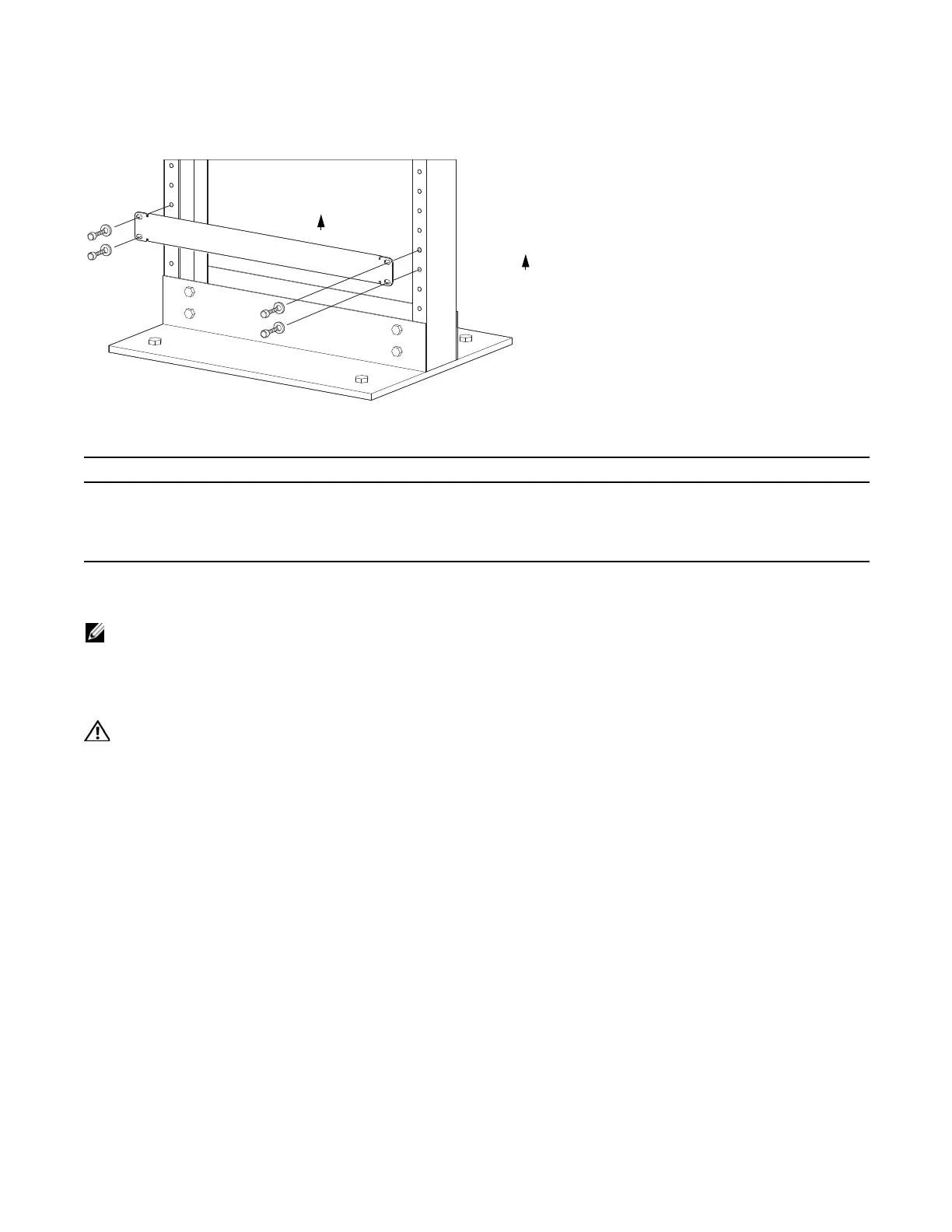
Figure 4-1. Rack Shelf Bar
To install a equipment rack shelf bar:
Standard Front Chassis Mounting
NOTE: Dell Force10 recommends that you install and operate the E1200 system in a standard 19-inch or 23-
inch equipment rack.
Install the E1200 system after you secure the equipment rack shelf bar. Load the chassis in the lower half
of an empty rack to avoid a top-heavy rack (
Figure 4-2
).
WARNING: Do not remove the Front shipping Cover during the initial installation process. The cover provides
front handles to assist in lifting and prevents damage to the internal framework and EMI seals.
Step Task
1 Determine the chassis mounting location in the equipment rack.
2 Orient the bar with the arrows pointing upward. The smooth side of the bar should face outward.
3 Attach the bar to the equipment rack brackets using the mounting screws provided by the manufacturer.
FN
UP
UP



 To Next Page