Installing AC Power Supplies | 29
7
Installing AC Power Supplies
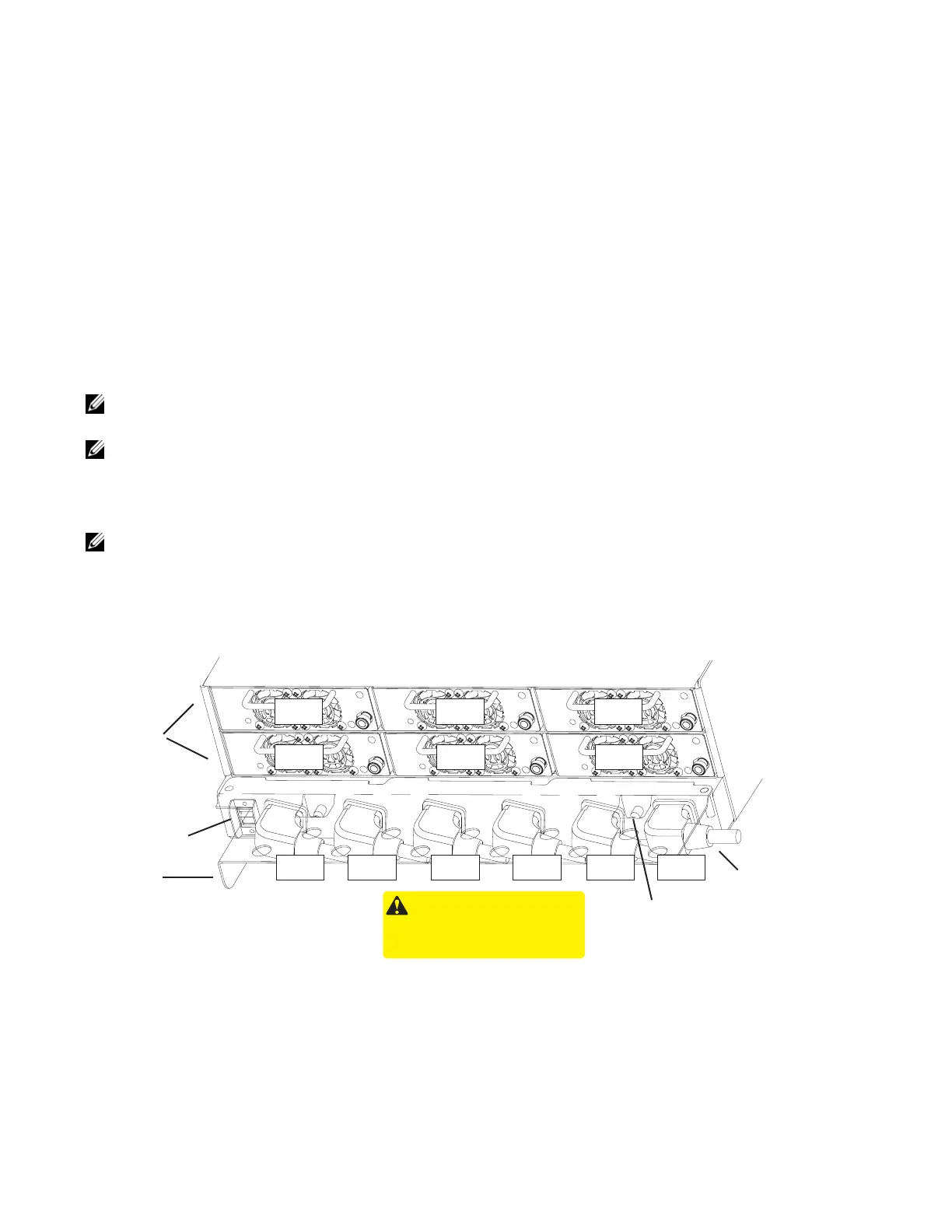
The E1200 system requires a minimum of two AC power supplies to operate, three for power
redundancy, four for facility redundancy (2+2), and 6 for 3+3 redundancy. To comply with safety agency
and EMI regulations, you must install the AC-cord retainer over all power cords. The E1200 chassis
contains six AC power supply slots, as shown in
Figure 7-1
.
NOTE: If you are installing only two power supplies, they must be installed in the same row. FTOS will
generate an error message if the two power supplies are not in the same row.
NOTE: If you are installing power supplies for redundancy:
• For 2+2 redundancy, two power supplies must reside in each row. That is, two in the top row and two in the bottom row.
• For redundant operation with only three power supplies, install all three power supplies in the same row.
NOTE: The On/Standby switch disconnects power to the rest of the chassis from all 6 AC power supplies.
• When the AC cord is attached, power supply fans will spin and the LEDs will indicate status while the On/Standby switch
is in Standby.
Figure 7-1. E1200i AC Power Supply Shelf
This retainer must be in place during normal operation.
Do not remove except for servicing
/
/
/
WARNING -
HIGH LEAKAGE CURRENT. EARTH CONNECTION
ESSENTIAL BEFORE CONNECTING SUPPLY.
COURANT DE FUITE ELEVE. RACCORDEMENT
A LA TERRE INDISPENSABLE AVANT LE
RACCORDEMENT AU RESEAU.
AC-0 AC-3 AC-1 AC-4 AC-2 AC-5
AC-3
AC-0
AC-4
AC-1
AC-5
AC-2
Power
Supplies
C-Cord Retainer
Safety Cover
On/Standby
Switch
AC Power Plugs
Locking Screw



 To Next Page