Installing RPMs, Line Cards, and SFMs | 43
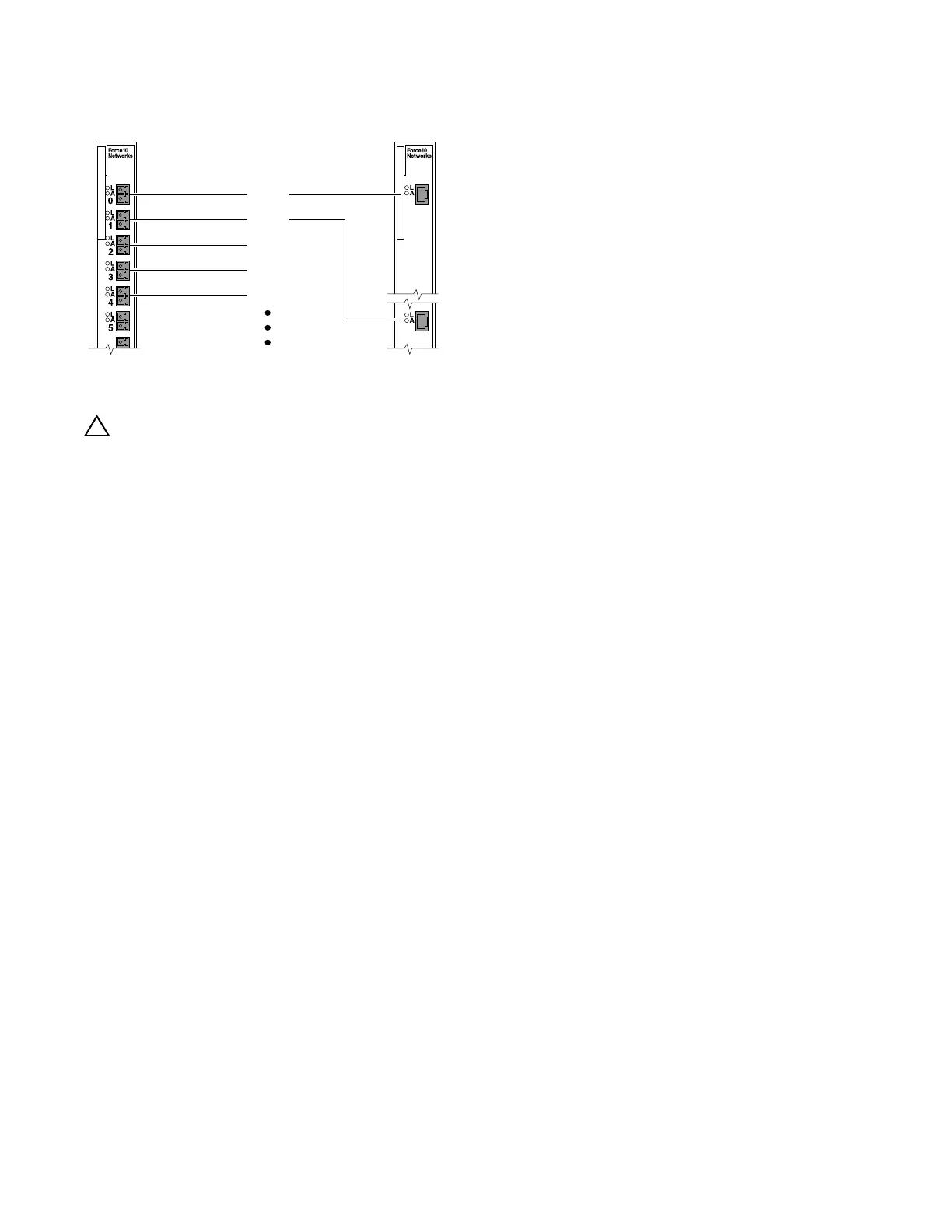
Figure 9-1. 24 Port 1GE and 2-Port 10GE Line Card Port Numbering
Blank Panels
CAUTION: To avoid a chassis over-temperature condition, install blanks for RPMs, SFMs, and line card slots
not in use. Always replace cards or blanks immediately.
Blank panels for RPMs, SFMs, and line cards must be installed in empty slots to control airflow. If a slot
is not filled for more than five minutes, the following message appears on the console:
%CHMGR-2-MINORTEMP: Minor alarm: chassis temperature high (SFM temperature reaches or
exceeds threshold of 65C)
Blank panels are shipped with the system to ensure that all chassis slots are installed with operational
modules or blanks.
Preparing and Installing RPMs and Line Cards
To prolong the life of the EMI seals, begin installing cards in the right-most slot (slot 13), filling the slots
leftward (slot 12, then slot 11, then slot 10, and so on).
Installing an RPM into the E1200i RPMs, line cards, and blank panels are packaged in the same box. To prolong
the life of the EMI seals, begin installing cards in the right most slot (R1), filling the slots leftward (R0,
then slot 6, then slot 5, and so on).
Port 0
Port 1
Port 2
Port 3
Port 4
24-port 1GE line card 2-port 10GE line card
FN
PORT 0



 To Next Page