60 | Removing and Replacing Components
www.dell.com | support.dell.com
Remove a DC Power Supply
Step Task
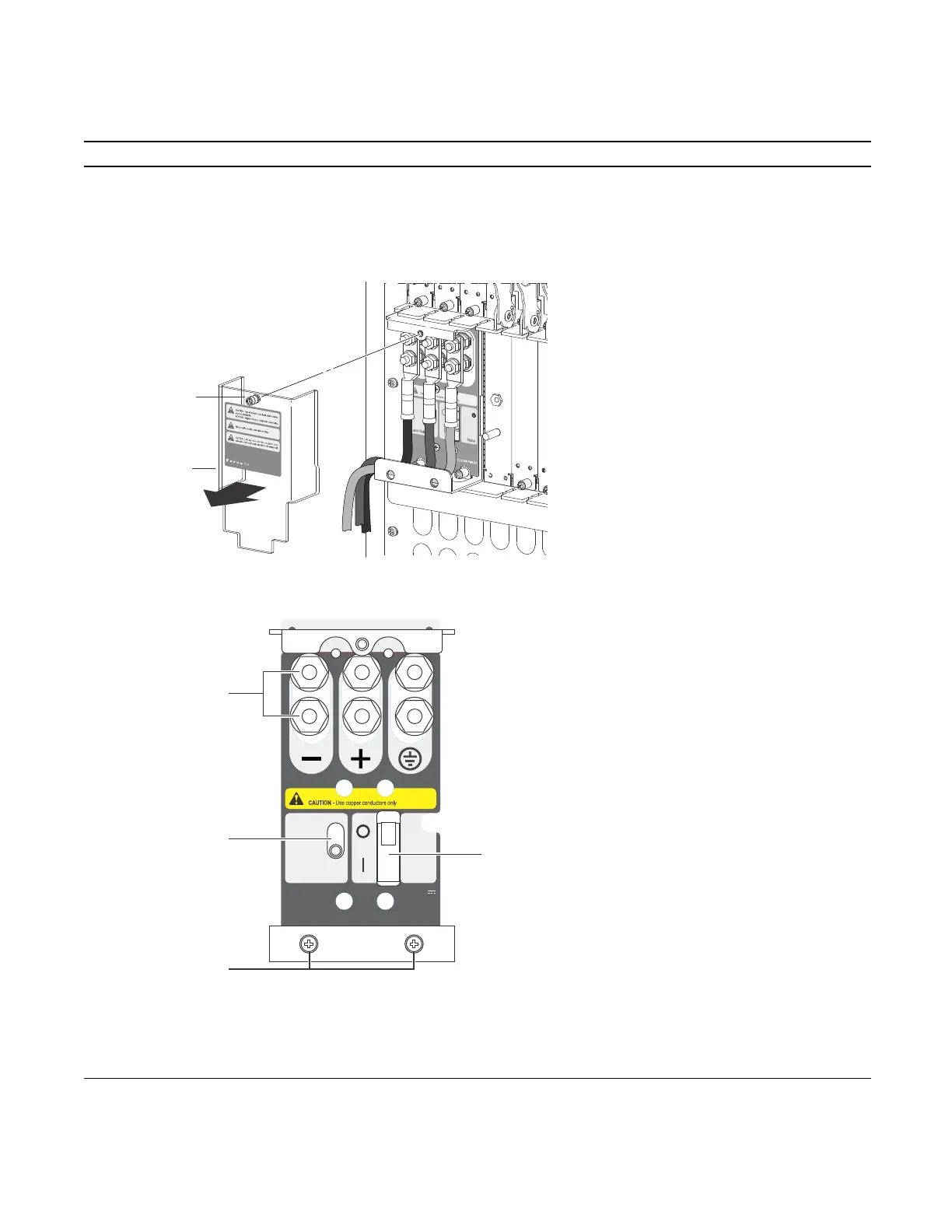
1 Ensure that the remote power source is in the OFF position and that the PEM status light is off.
• PEM 0 connects to remote power source 0.
• PEM 1 connects to remote power source 1.
2 Loosen the retaining screw and remove the PEM safety cover.
3 Switch the Over Current Protector (located on the PEM front panel) to the OFF position.
4 Loosen the Locking screws.
5 Lift and hold the PEM interlock lever to release the PEM
6 While holding the interlock lever up, using the bottom handle, pull the PEM straight out of the slot.
FN00103lp
Safety
cover
Retaining
screw
CC-E1200-PWR-DC
-48/-60Vdc
150A, 7200VA
Status
Latch Release
PEM interlock
lever
Over-current protector
Locking screws
Studs
FN00102lp



 To Next Page