Need help?
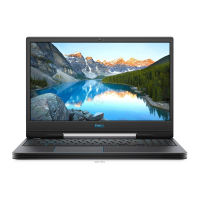
Do you have a question about the Dell G5 5590 and is the answer not in the manual?
Essential steps before starting internal computer maintenance.
Guidelines to prevent static electricity damage to components.
Important safety guidelines for handling Lithium-ion batteries.
Steps to remove battery from systems without a hard drive.
Steps to remove battery from systems with a hard drive.
Steps to install battery in systems without a hard drive.
Steps to install battery in systems with a hard drive.
Instructions for running the pre-boot hardware diagnostic tool.
Procedures for updating the BIOS from www.dell.com/support.
 General
| Operating System | Windows 10 Home |
|---|---|
| Processor | i7-9750H |
| Graphics | NVIDIA GeForce GTX 1660 Ti |
| Display | 15.6-inch FHD (1920 x 1080) |
| RAM | 16GB DDR4 |
| Storage | 256GB SSD |
| Battery | 60WHr, 4-Cell Battery |
| Ports | 1 x HDMI 2.0, 1 x RJ-45, 1 x Headphone/Microphone combo |
| Wireless | 802.11ac Wi-Fi and Bluetooth |

 To Next Page