EasyManua.ls Logo

Dell Latitude 3120 - User Manual

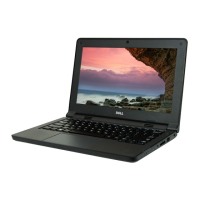
Dell Latitude 3120
90 pages
Print Icon
To Next Page IconTo Next Page
Loading...
Latitude 3120
Service Manual
Regulatory Model: P32T/P33T
Regulatory Type: P32T001/P33T001
April 2021
Rev. A01

Table of Contents

Other manuals for Dell Latitude 3120

Questions and Answers

  • Y
    Yvette Wagner DDSSep 8, 2025
    How to fix BIOS Recovery image found but invalid on Dell Latitude 3120?
    • J
      Jonathan JonesSep 8, 2025
      If your Dell Laptop displays 'BIOS Recovery image found but invalid', flash the latest BIOS version. If the problem persists, replace the system board.
  • A
    Alejandra StaffordAug 23, 2025
    What should I do if my Dell Latitude 3120 says 'HARD-DISK DRIVE CONTROLLER FAILURE'?
    • K
      Kathryn WhiteAug 23, 2025
      If your Dell Laptop displays 'HARD-DISK DRIVE CONTROLLER FAILURE', shut down the computer, remove the hard drive, and boot from an optical drive. If the problem persists, try another drive. Run the Hard Disk Drive tests in Dell Diagnostics.
  • M
    Matthew AtkinsonAug 25, 2025
    What to do if Time-of-Day Clock Stopped on Dell Latitude 3120?
    • B
      Brandon SmithAug 25, 2025
      If your Dell Laptop displays 'TIME-OF-DAY CLOCK STOPPED', connect your computer to an electrical outlet to charge the battery.
  • V
    Veronica WilcoxAug 26, 2025
    How to fix decreasing available memory on Dell Laptop?
    • B
      Brooke WigginsAug 27, 2025
      If your Dell Laptop displays 'DECREASING AVAILABLE MEMORY', reinstall the memory modules or, if necessary, replace them.
  • M
    masonsarahAug 27, 2025
    What to do if Dell Latitude 3120 does not detect memory/RAM?
    • S
      Steven SchultzAug 28, 2025
      If your Dell Laptop displays 'No memory/RAM detected', confirm that the memory module is installed properly. If the problem persists, replace the memory module.
  • G
    gutierrezchristopherSep 22, 2025
    How to fix NO TIMER TICK INTERRUPT on Dell Latitude 3120 Laptop?
    • R
      robertfrenchSep 22, 2025
      If your Dell Laptop displays 'NO TIMER TICK INTERRUPT', run the System Set tests in Dell Diagnostics.
  • T
    Todd BuchananSep 16, 2025
    What to do for ungraceful EC code flow errors on Dell Latitude 3120?
    • J
      Jessica ParrishSep 16, 2025
      If your Dell Laptop experiences a generic catch-all for ungraceful EC code flow errors, disconnect all power sources (AC, battery, coin cell) and drain flea power by pressing and holding down the power button for 3~5 seconds.
  • A
    Anthony PayneSep 18, 2025
    How to fix PCI or Video card/chip failure on Dell Laptop?
    • M
      martinezrobertSep 18, 2025
      If your Dell Laptop displays 'PCI or Video card/chip failure', replace the system board.
  • H
    Heather CurtisSep 7, 2025
    What to do if BIOS Recovery image not found on Dell Latitude 3120?
    • P
      Priscilla OconnellSep 7, 2025
      If your Dell Laptop displays 'BIOS Recovery image not found', flash the latest BIOS version. If the problem persists, replace the system board.
  • C
    Christopher TurnerSep 4, 2025
    How do I fix a CPU failure on my Dell Laptop?
    • T
      tsinghSep 4, 2025
      If your Dell Laptop has a CPU failure, run the Dell Support Assist/Dell Diagnostics tool. If the problem persists, replace the system board.

Summary

Working inside your computer

Safety instructions

Guidelines to protect computer and ensure personal safety.

Safety precautions

Primary steps to take before performing disassembly or break/fix procedures.

Electrostatic discharge-ESD protection

Protecting components from electrostatic discharge damage.

Removing and installing components

System setup

Updating the BIOS in Windows

Instructions for updating the BIOS from within Windows.

Troubleshooting

Built-in self-test (BIST)

Overview of Built-In Self-Test diagnostics for display, power, and system board.

Dell SupportAssist Pre-boot Diagnostics

Explanation of the hardware diagnostic tool embedded in BIOS.

Diagnostic LED behavior

Table describing diagnostic LED blinking patterns and their meanings.

Diagnostic and System error messages

Lists common diagnostic and system error messages and their descriptions.

Recovering the operating system

How the system automatically starts Dell SupportAssist OS Recovery.

Dell Latitude 3120 Specifications

General IconGeneral
GraphicsIntel UHD Graphics
Battery3-cell 42WHr
ProcessorIntel Pentium Silver N6000
RAM4GB
Storage64 GB eMMC
Display11.6-inch HD (1366 x 768)
Operating SystemWindows 10 Pro
Ports2 x USB 3.2 Gen 1, 1 x HDMI 1.4, 1 x microSD card reader, 1 x headphone/microphone combo jack, 1 x USB-C 3.2 Gen 1 (with DisplayPort Alt Mode and Power Delivery)
WirelessIntel Wi-Fi 6 AX201, Bluetooth 5.1

Related product manuals