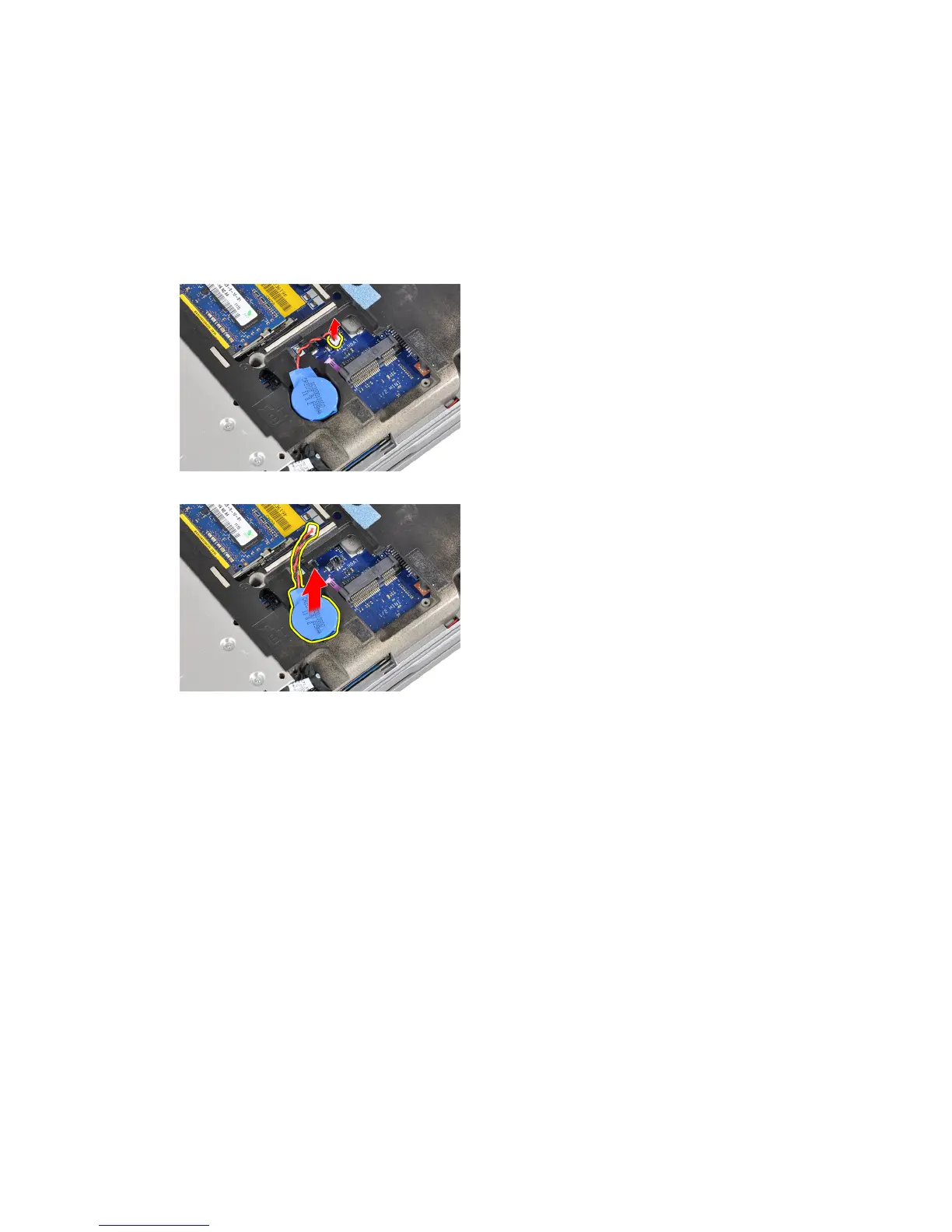
Removing the Coin-Cell Battery
1. Follow the procedures in
Before Working Inside Your Computer
.
2. Remove the:
a) battery
b) base cover
3. Disconnect the coin-cell battery cable from the system board.
4. Remove the coin-cell battery from the computer.
Installing the Coin-Cell Battery
1. Place the coin-cell battery in its slot.
2. Connect the coin-cell battery cable.
3. Install:
a) base cover
b) battery
4. Follow the procedures in
After Working Inside Your Computer
.
Removing the Palmrest
1. Follow the procedures in
Before Working Inside Your Computer
.
2. Remove:
a) SD card
b) ExpressCard
c) battery
d) hard drive
25















 To Next Page