7. coin-cell battery
8. base corner cap (left)
9. WLAN card
10. docking port
11. battery bay
12. base corner cap (right)
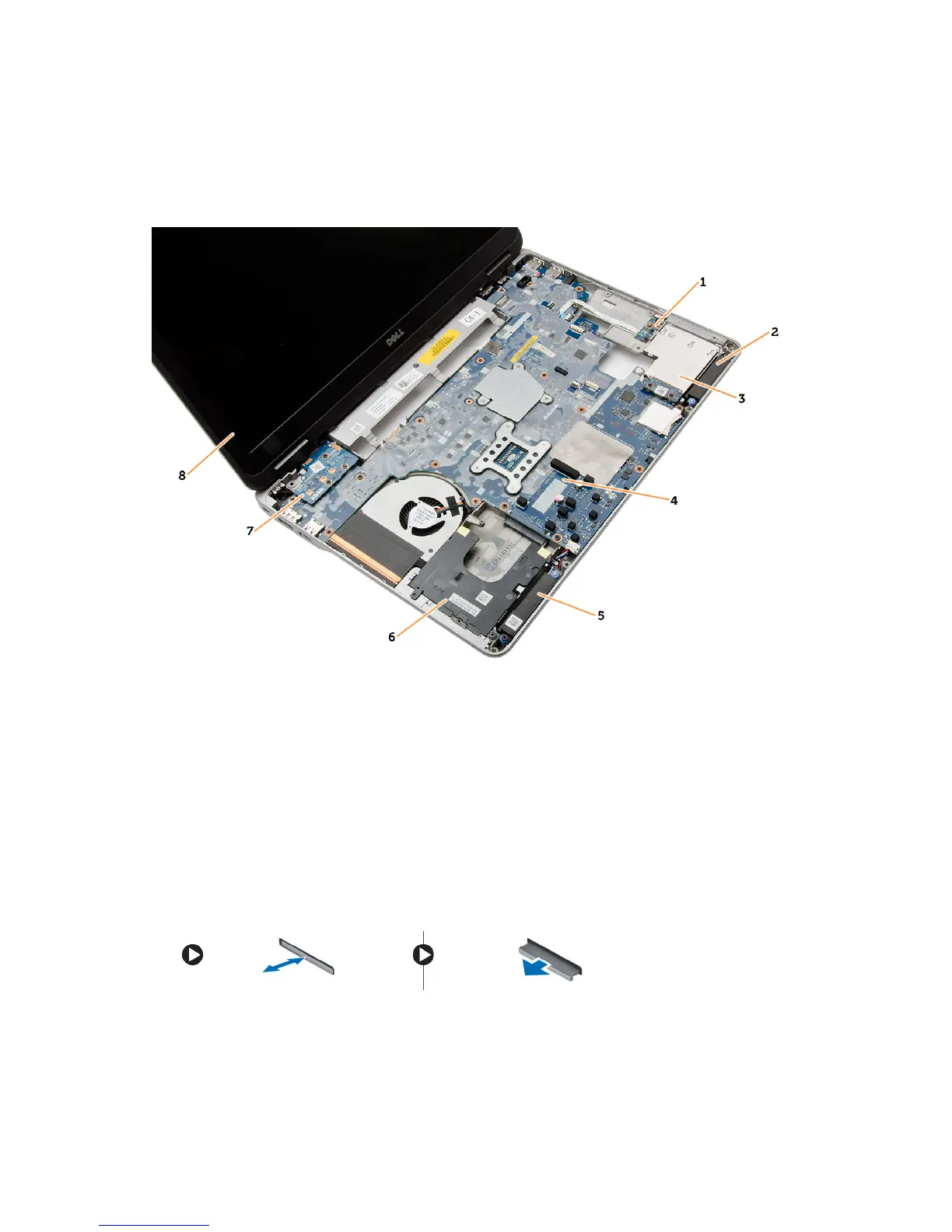
Figure 2. Top View — Keyboard and Palmrest Assembly removed
1. WiFi-switch board
2. speaker
3. ExpressCard cage
4. system board
5. speaker
6. hard-drive bay
7. VGA board
8. display assembly
Removing the Secure Digital (SD) Card
1. Follow the procedures in
Before Working Inside Your Computer
.
2. Press in on the SD card to release it from the computer. Slide the SD card out of the computer.
12















 To Next Page