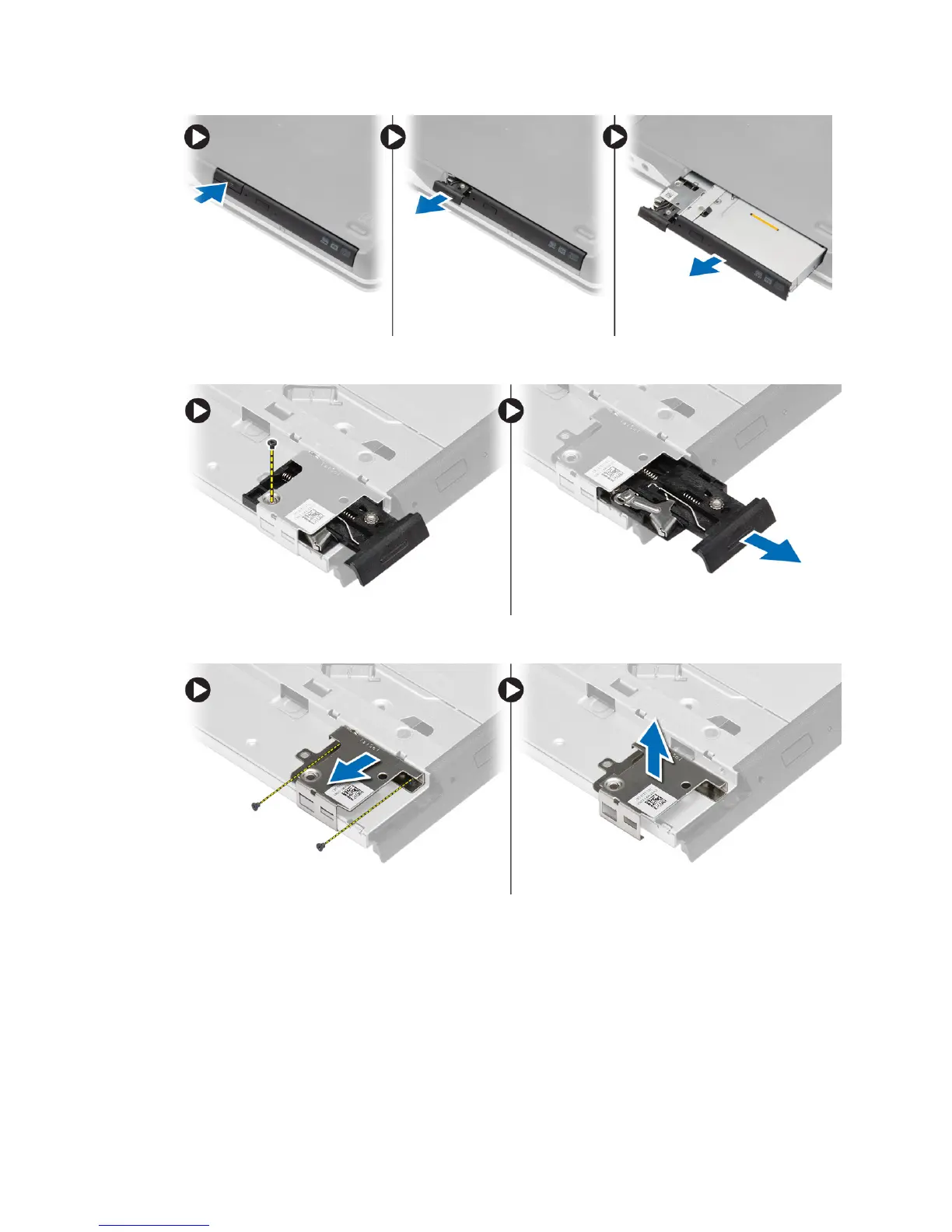
4. Remove the screw that secures the optical-drive latch to the optical drive. Slide the optical-drive latch and remove
it from the optical-drive.
5. Remove the screws that secure the optical-drive latch bracket to the optical drive. Remove the latch bracket from
the optical drive.
Installing the Optical Drive
1. Align the optical-drive latch bracket to its position on the optical drive.
2. Tighten the screw to secure the optical-drive latch bracket to the optical drive.
3. Slide the optical-drive latch in the optical-drive latch bracket.
4. Tighten the screws to secure the optical-drive latch to the optical-drive latch bracket.
5. Slide the optical drive into the drive bay.
21















 To Next Page