Removing the Heat-Sink Assembly
1. Follow the procedures in Before Working Inside Your Computer.
2. Remove:
a. battery
b. base cover
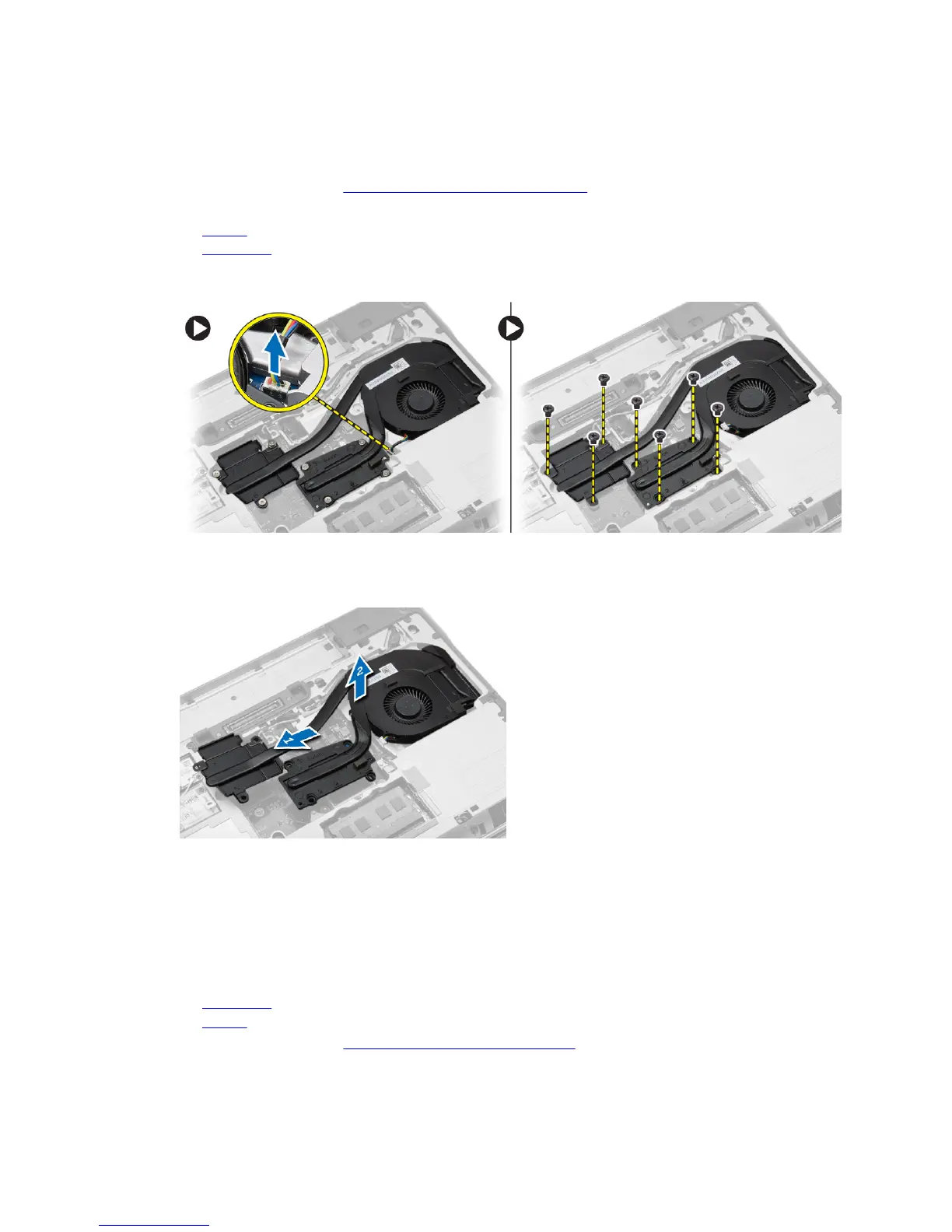
3. Disconnect the fan cable and remove the screws that secure the heat-sink assembly to the system
board.
4. Perform the following steps as shown in the illustration:
a. Slide the heat-sink assembly.
b. Lift the heat-sink assembly from the computer.
Installing the Heat-Sink Assembly
1. Slide the heat-sink assembly to its position on the system board.
2. Tighten the screws to secure the heat-sink assembly to the system board.
3. Connect the fan cable to the system board.
4. Install:
a. base cover
b. battery
5. Follow the procedures in After Working Inside Your Computer.
27












 To Next Page