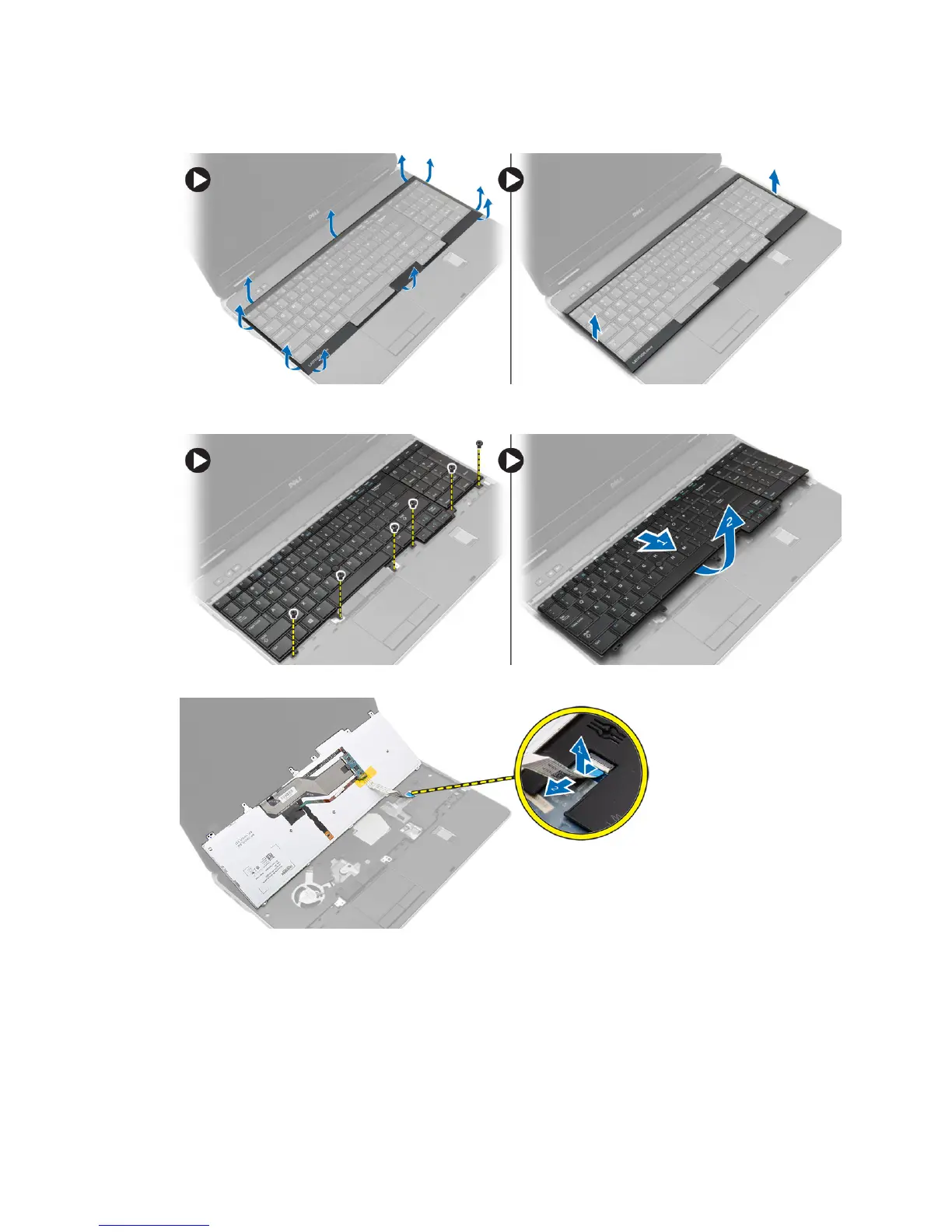
3. Using a plastic scribe, pry under the keyboard trim and then along the sides and bottom to release it
from the computer. Lift and remove the keyboard trim from the computer.
4. Remove the screws that secure the keyboard to the palmrest assembly, lift and flip the keyboard to
access the keyboard-cable.
5. Disconnect the keyboard cable from the system board.
Installing the Keyboard
1. Connect the keyboard cable to the system board.
2. Slide the keyboard into its compartment and until it clicks into place.
3. Tighten the screws to secure the keyboard to the palmrest assembly.
29













 To Next Page