Removing the Processor
1. Follow the procedures in Before Working Inside Your Computer.
2. Remove:
a. battery
b. base cover
c. heatsink
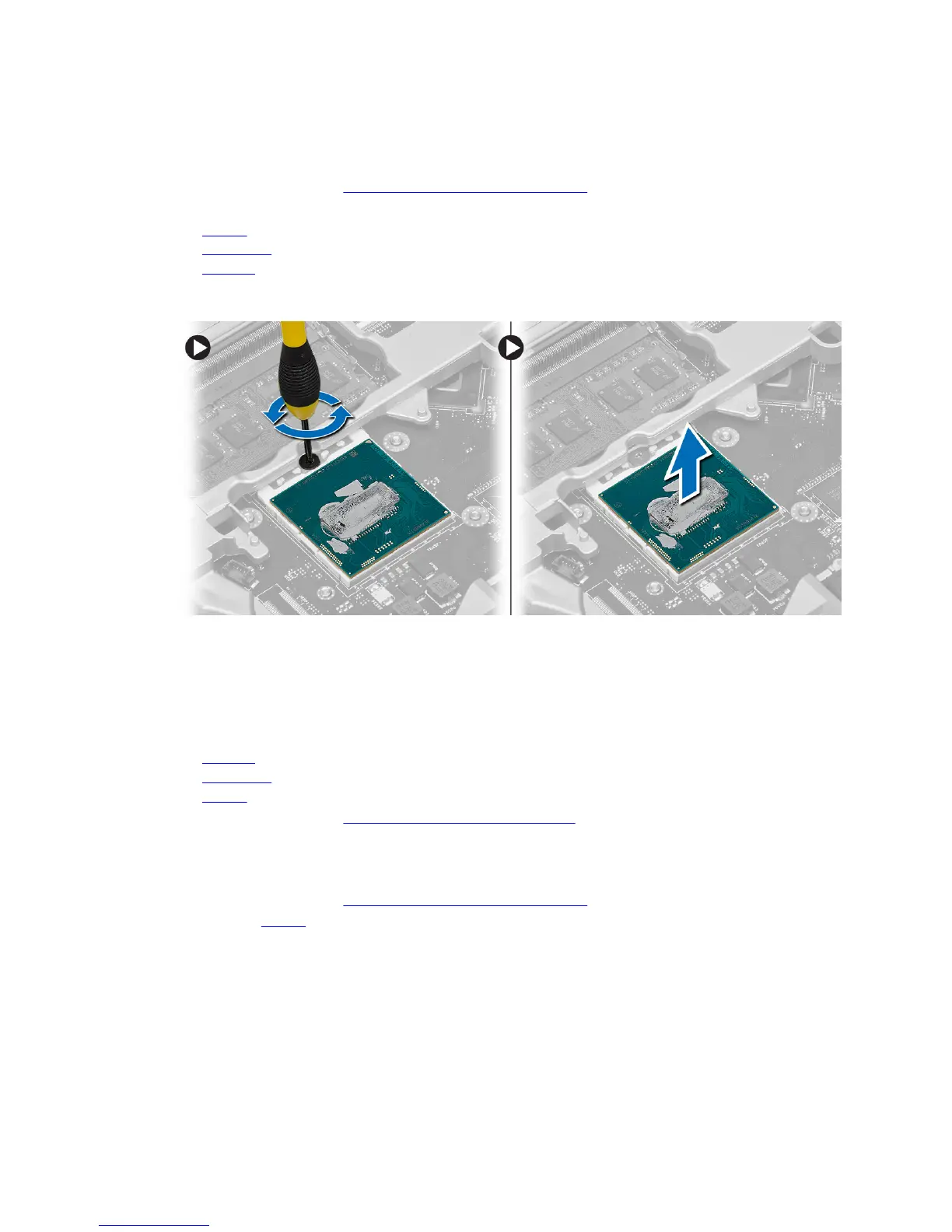
3. Rotate the processor-cam lock in a counter-clockwise direction. Remove the processor from the
computer.
Installing the Processor
1. Align the notches on the processor and the socket, and insert the processor into the socket.
2. Rotate the processor-cam lock in a clockwise direction.
3. Install:
a. heatsink
b. base cover
c. battery
4. Follow the procedures in After Working Inside Your Computer.
Removing the Keyboard
1. Follow the procedures in Before Working Inside Your Computer.
2. Remove the battery.
28












 To Next Page