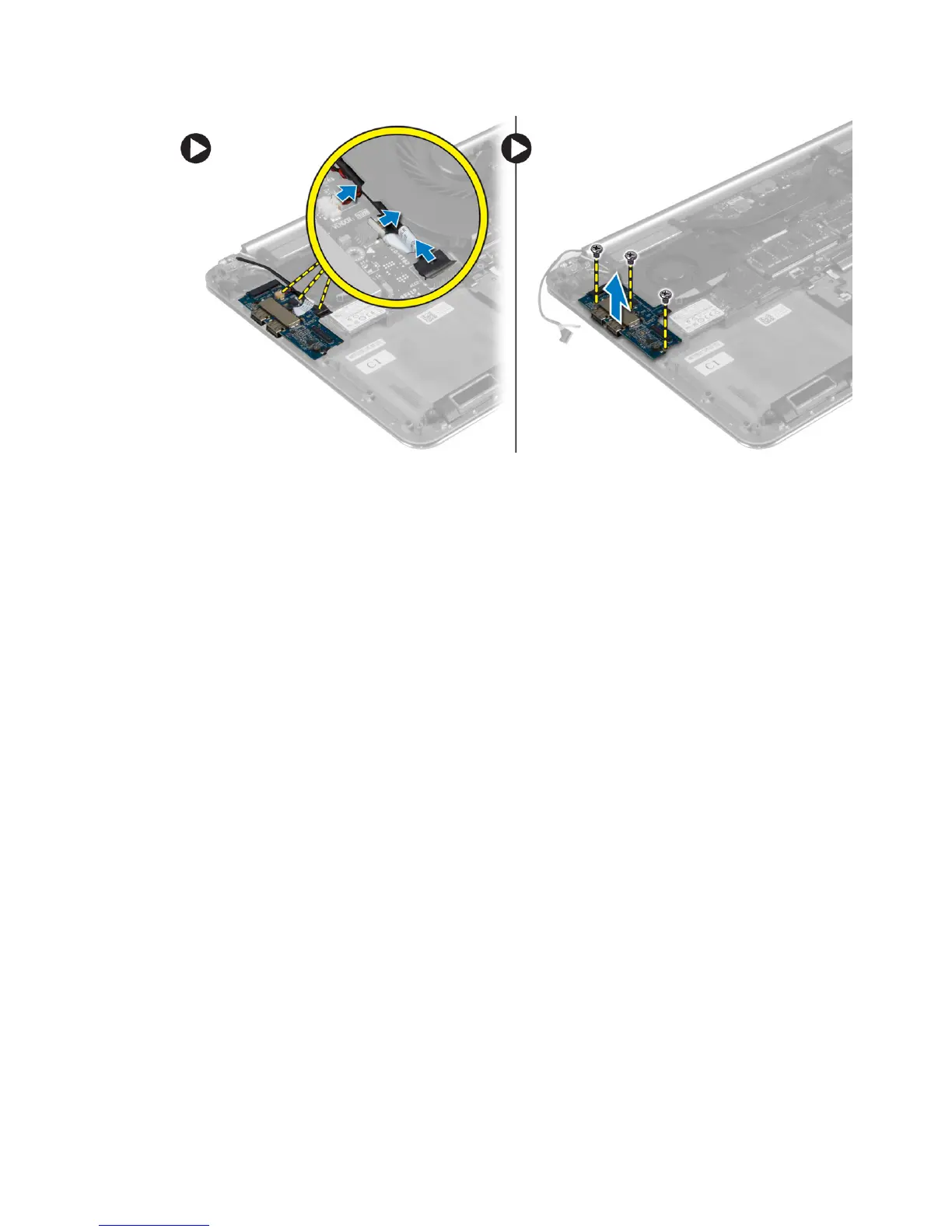
Installing the I/O Board
1. Tighten the screws to secure the I/O board to the palmrest assembly.
2. Connect the following cables to the I/O board:
a) camera
b) I/O board
c) fan
3. Connect the I/O-board cable to the I/O board and the system board.
4. Install the:
a) WLAN card
b) battery
c) base cover
5. Follow the procedures in
After Working Inside Your Computer.
Removing the Memory Module(s)
1. Follow the procedures in
Before Working Inside Your Computer
.
2. Remove the:
a) base cover
b) battery
3. Perform the following steps to remove the memory module:
a) Use your fingertips to carefully spread apart the securing-clips on each end of the memory-
module connector until the memory module pops up.
b) Remove the memory module from the memory-module connector.
24















 To Next Page