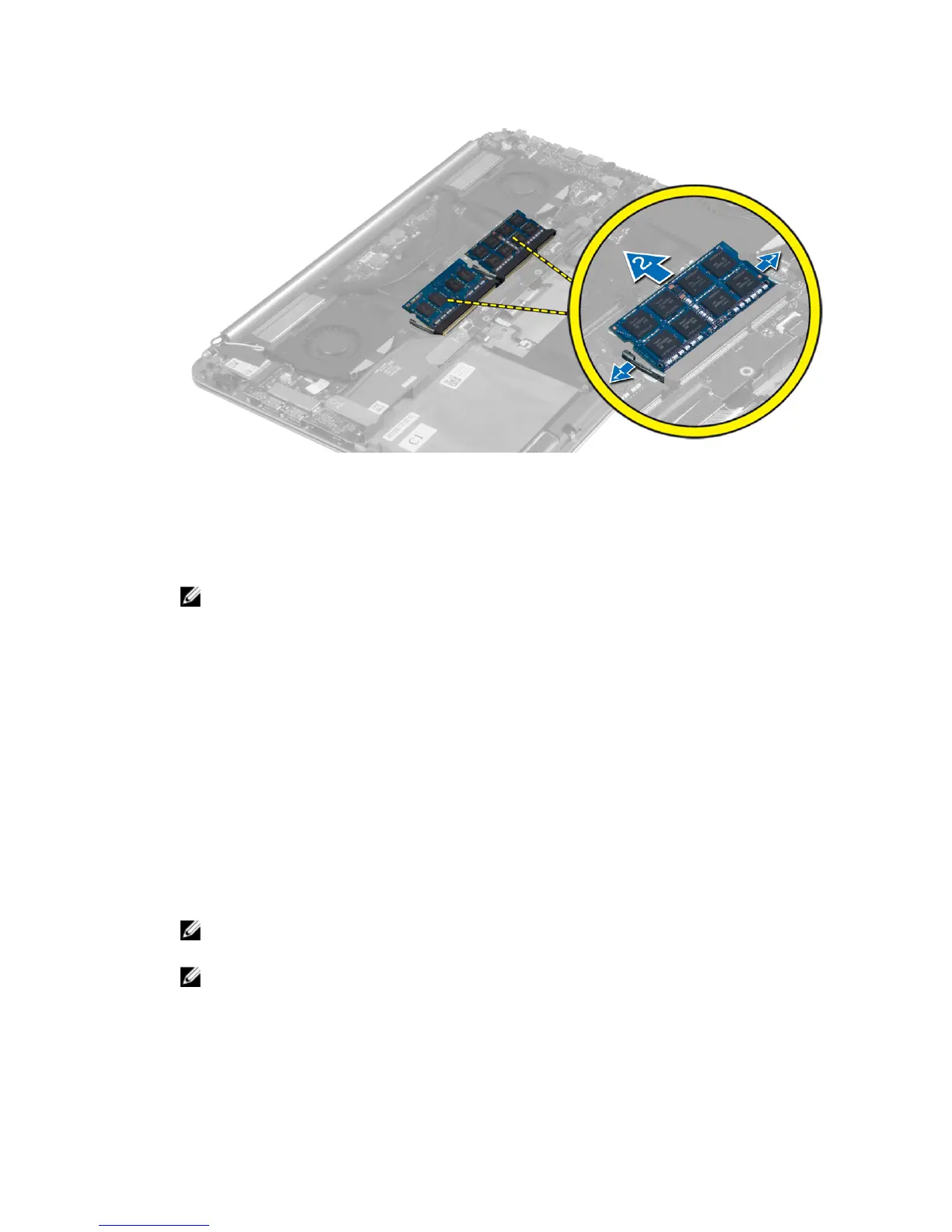
Installing the Memory Module(s)
1. Align the notch on the memory module with the tab on the memory-module connector.
2. Slide the memory module firmly into the connector at a 45-degree angle and press the memory
module down until it clicks into place.
NOTE: If you do not hear the click, remove the memory module and re-install it.
3. Install the:
a) battery
b) base cover
4. Follow the procedures in
After Working Inside Your Computer.
Removing the System Board
1. Follow the procedures in
Before Working Inside Your Computer
.
2. Remove the:
a) base cover
b) battery
c) fans
d) heatsink
e) mSATA card
f) memory modules
NOTE: Your computer’s Service Tag is located under the system badge. You must enter the
Service Tag in the BIOS after you replace the system board.
NOTE: Before disconnecting the cables from the system board, note the location of the
connectors so that you can re-connect them correctly after you replace the system board.
3. Disconnect the following cables from the system board:
a) I/O-board
b) speaker
25















 To Next Page