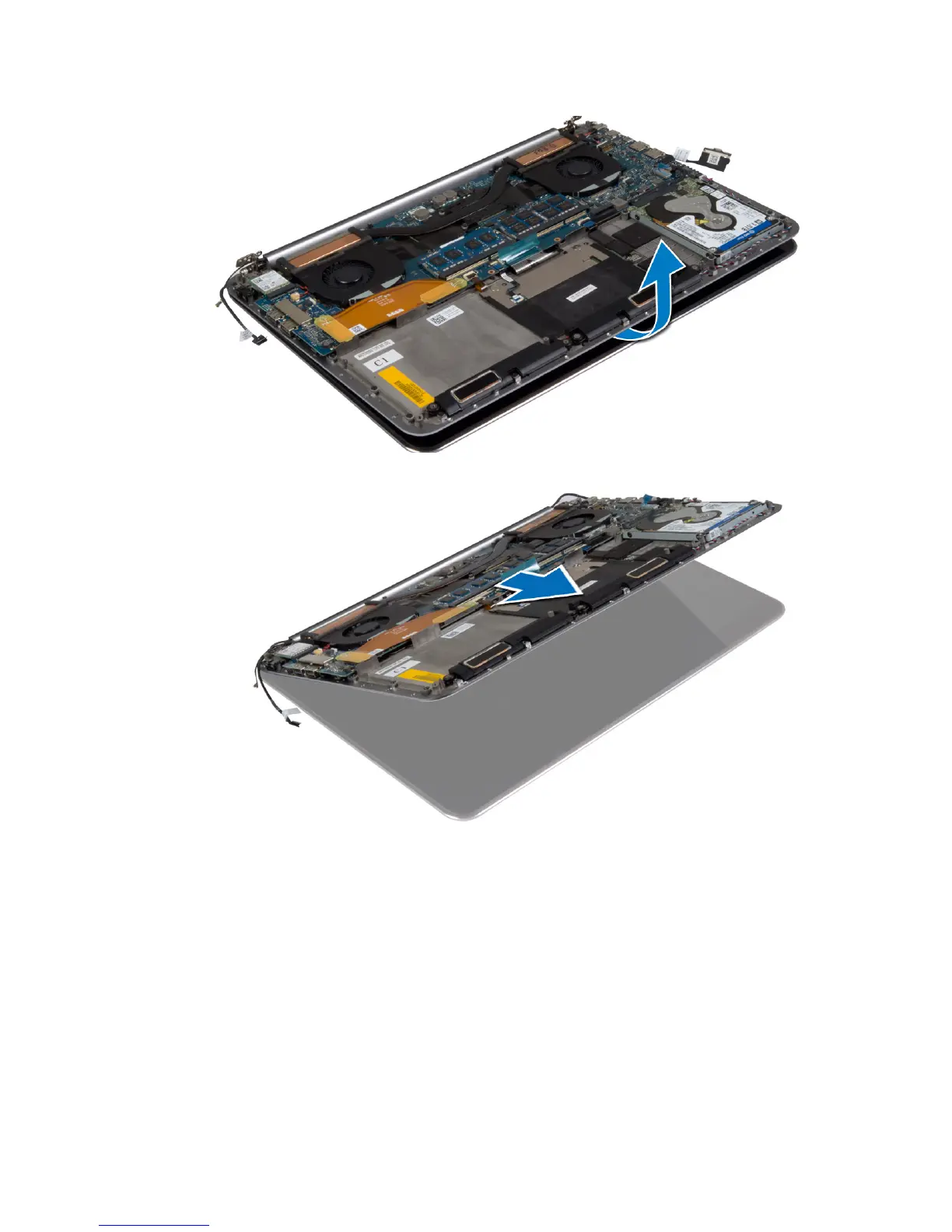
6. Slide the palmrest assembly away from the display assembly.
Installing the Display Assembly
1. Align the palmrest assembly on the display assembly.
2. Tighten the screws to secure the display hinges to the palmrest assembly.
3. Route the touch-panel cable, display cable, and camera cable through the routing tabs.
4. Connect the following cables:
a) touch-panel cable and display cable to the system board
b) camera cable to I/O board
c) antenna cables to the WLAN card
5. Install the:
31















 To Next Page