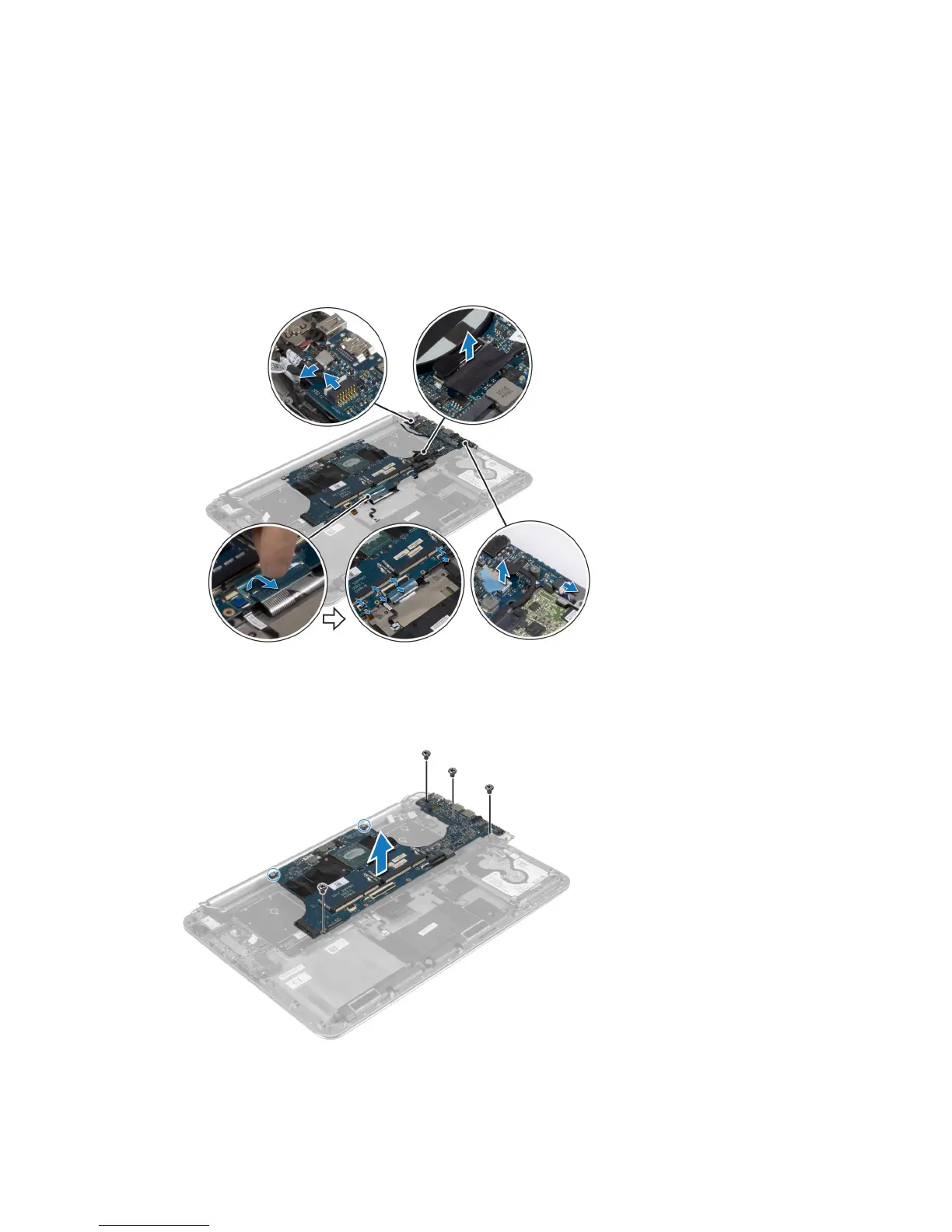
c) hard drive
d) power-adapter
e) touch-panel cable
f) display cable
4. Lift the connector latches and disconnect the following cables from the system board:
a) keyboard-backlight
b) touchpad
c) hard drive
d) keyboard (after peeling off the tape and lifting the connector latch)
5. Perform the following steps to remove system board:
a) Loosen the captive screws that secure the system board to the palmrest assembly.
b) Remove the screws that secure the system board to the palmrest assembly.
c) Lift the system board off the palmrest assembly.
26















 To Next Page