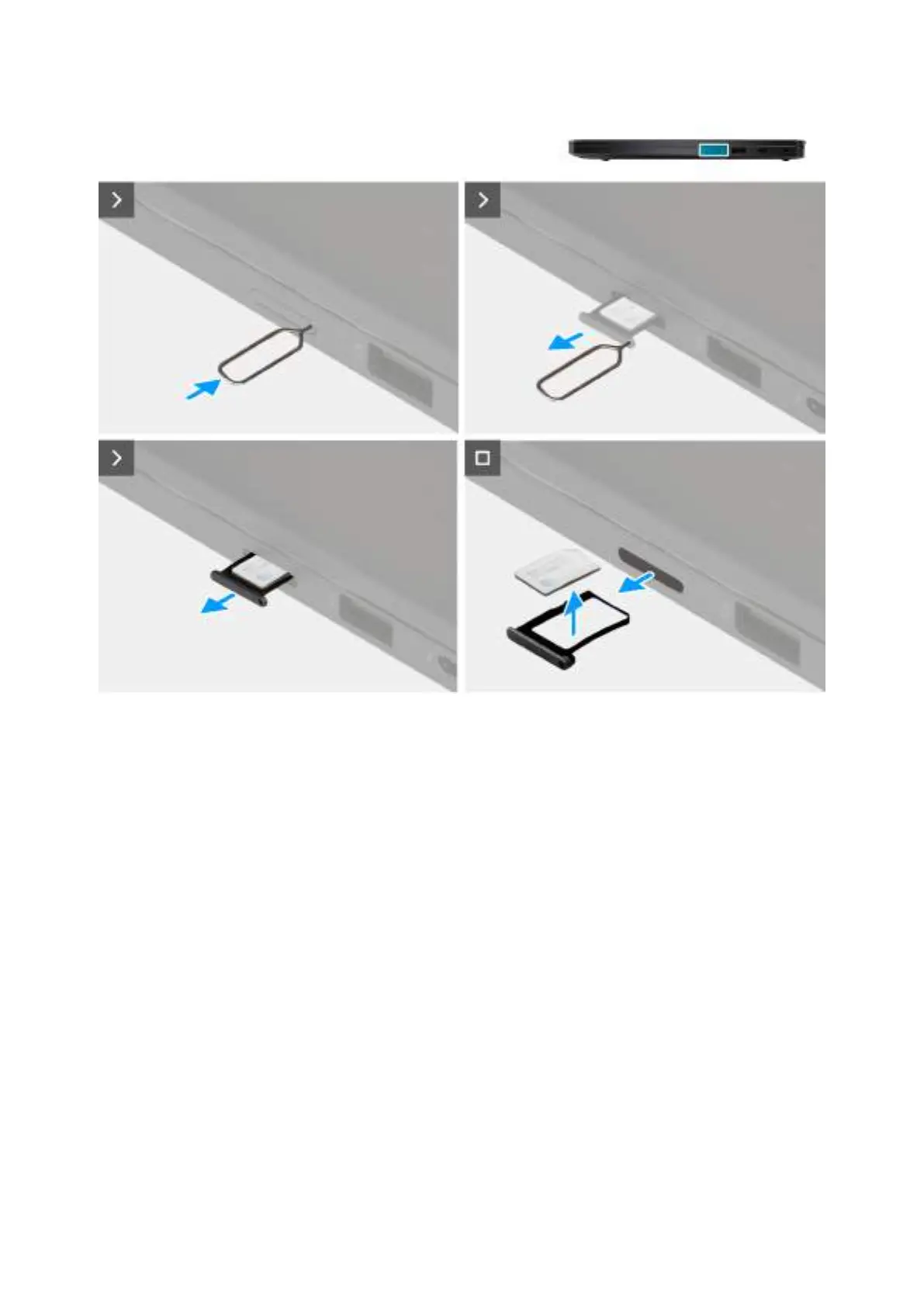
Obrázek 12. Removing the nano-SIM card
Kroky
1. Insert a SIM-ejector pin into the release hole to release the nano-SIM card tray.
2. Push the SIM-ejector pin to disengage the lock, and eject the nano-SIM card tray.
3. Slide the nano-SIM card tray out of the slot on the computer.
4. Remove the nano-SIM card from the nano-SIM card tray.
Installing the nano-SIM card
Požadavky
If you are replacing a component, remove the existing component before performing the installation procedure.
O této úloze
The following images indicate the location of the nano-SIM card and provide a visual representation of the installation procedure.
44
Demontáž ainstalace jednotek vyměnitelných zákazníkem (CRU)







 To Next Page