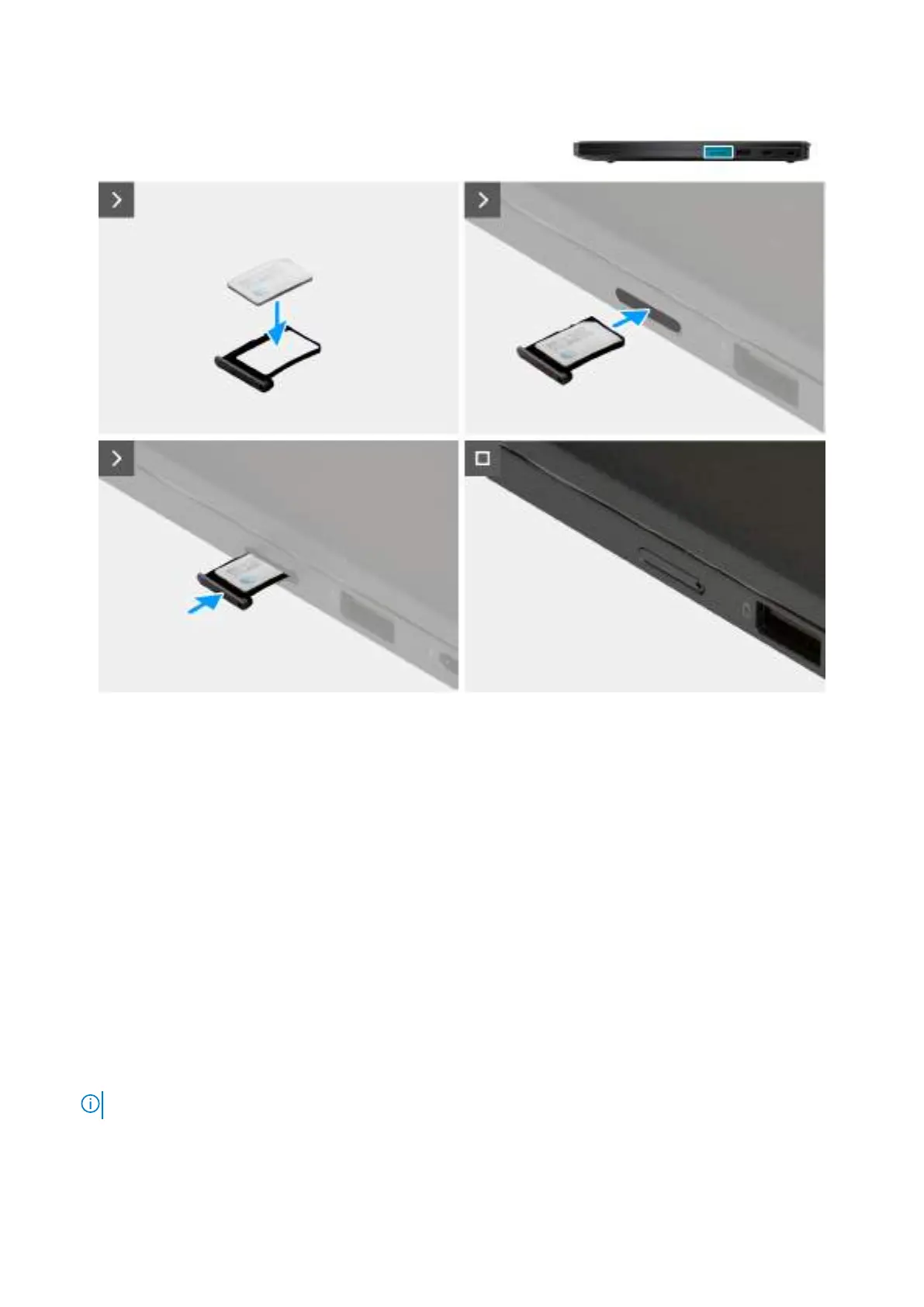
Obrázek 13. Installing the nano-SIM card
Kroky
1. Align and place the nano-SIM card into the nano-SIM card tray with the metallic contact facing up.
2. Align the nano-SIM card tray with the slot on the computer and carefully slide it in.
Další kroky
1. Install the nano-SIM card tray.
2. Follow the procedure in After working inside your computer.
Spodní kryt
Removing the base cover
Požadavky
1. Follow the procedure in Before working inside your computer.
POZNÁMKA: Ensure that your computer is in Service Mode. For more information, see Before working inside your computer.
Demontáž ainstalace jednotek vyměnitelných zákazníkem (CRU) 45









 To Next Page