Top
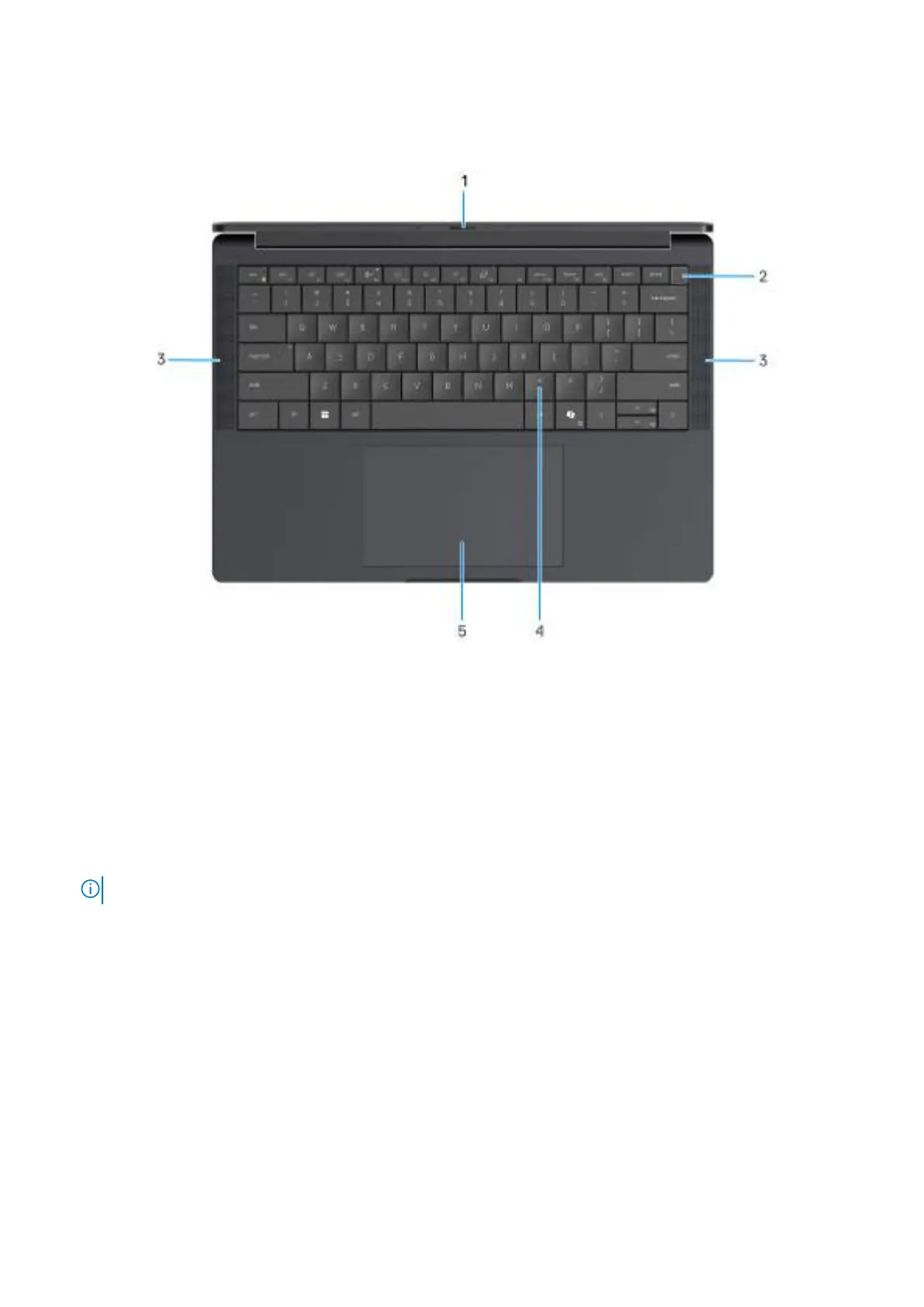
Obrázek 3. Top view
1. Camera shutter
Slide the privacy shutter to the left to access the camera lens.
2. Power button with optional fingerprint reader
Press to turn on the computer if it is turned off, in sleep state, or in hibernating state.
When the computer is turned on, press the power button to put the computer into a sleep state; press and hold the power button for
10 s to force shut-down the computer.
If the power button has a fingerprint reader, place your finger on the power button steadily to log in.
POZNÁMKA: You can customize the power-button behavior in Windows.
3. Speakers
Provides audio output.
4. Zero-Lattice Keyboard with battery-saving backlight
Compact keyboard with larger keycaps and power-saving mini-LED backlight. Use the keyboard to input characters and perform
functions.
5. Touchpad
Move your finger on the touchpad to move the mouse pointer.
Pohledy na počítač Dell Pro 14 Premium PA14250
9









 To Next Page