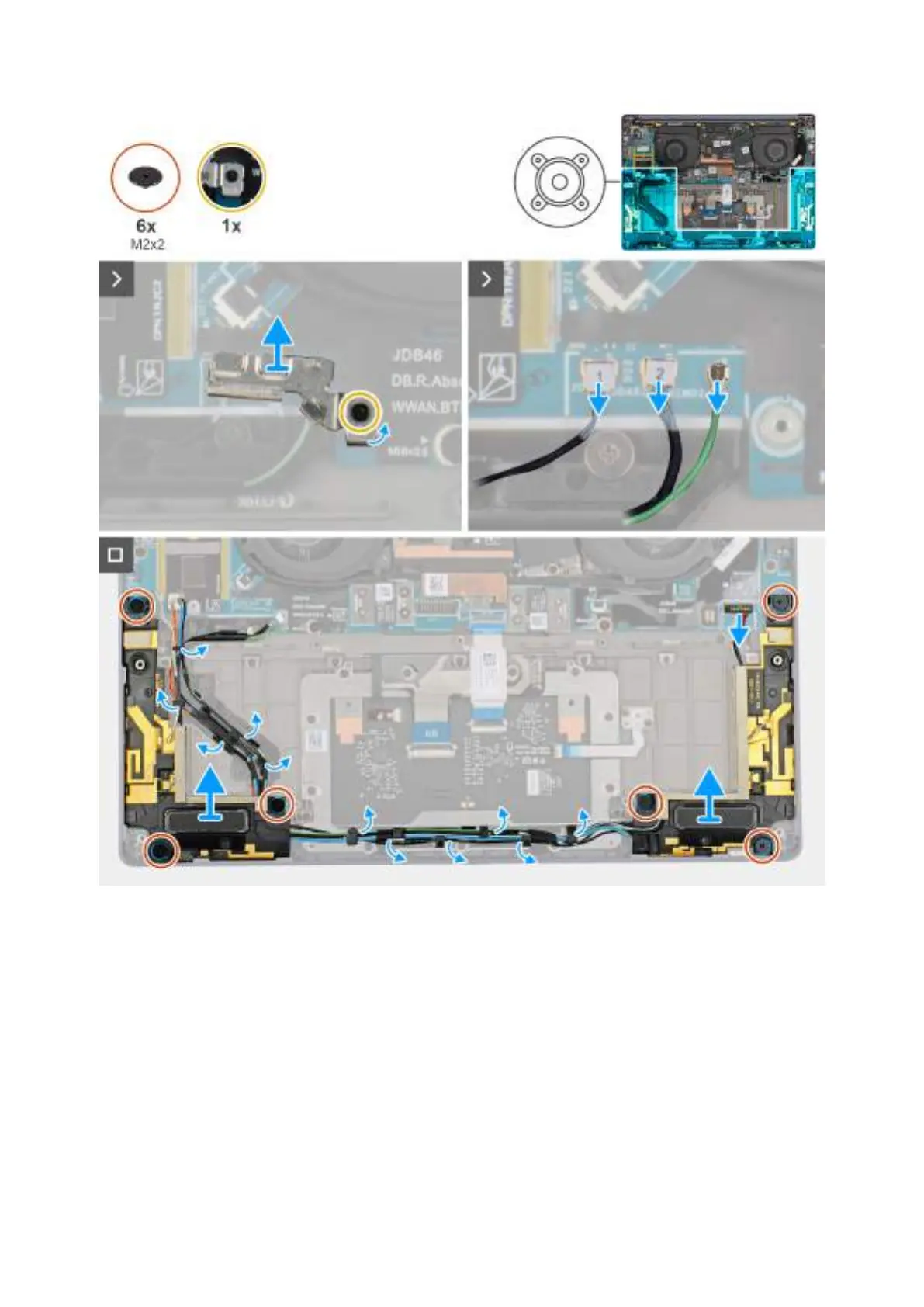
Obrázek 33. Removing the speakers with antennas (WWAN configuration)
Kroky
1. Loosen the captive screw that secures the antenna cables to the WWAN-card bracket.
2. Disconnect and unroute the antenna cables from the routing guide.
3. Disconnect the speaker cable from the connector on the left I/O-board.
4. Remove the six screws (M2x2) that secure the speakers in place.
5. Peel the tape that secures the speaker cable to the palm-rest and keyboard assembly.
6. Note the speaker cable routing, and unroute the speaker cable from the routing guides on the palm-rest and keyboard assembly.
7. Lift the speakers, along with the cable, off the palm-rest and keyboard assembly.
64
Demontáž ainstalace jednotek vyměnitelných vterénu (FRU)







 To Next Page