Požadavky
1. Follow the procedure in Before working inside your computer.
2. Remove the base cover.
3. Remove the M.2 2230 solid state drive.
4. Remove the battery.
5. Remove the heat sink.
POZNÁMKA: The system board can be removed and installed along with the heat sink. It simplifies the removal and installation
procedure and prevents damage to the thermal bond between the system board and heat sink.
O této úloze
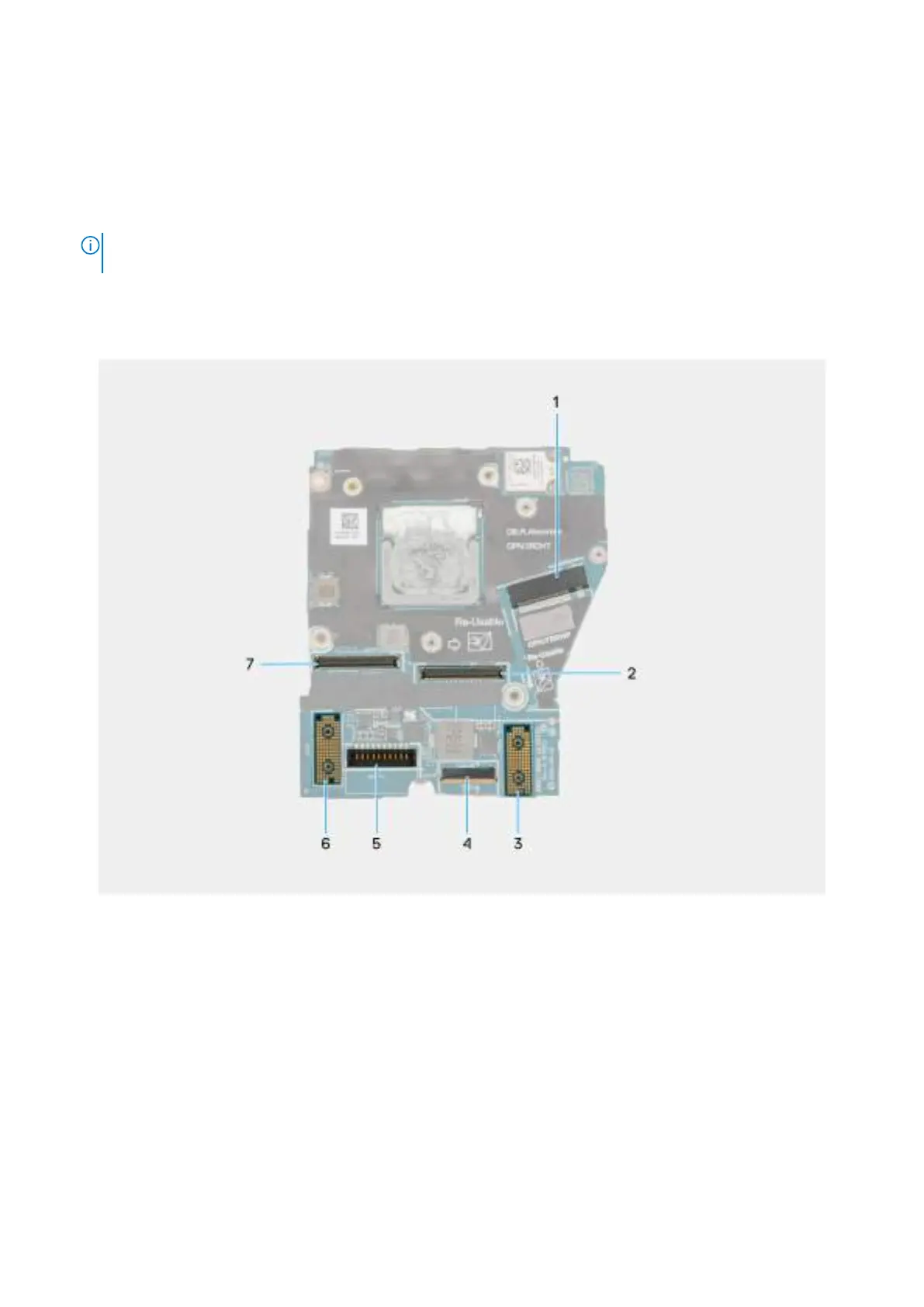
The following image indicates the connectors on your system board.
Obrázek 64. System board callout
1. SSD slot connector
2. Display-cable connector
3. Left I/O-board connector
4. Touchpad-cable connector
5. Battery-cable connector
6. Right I/O-board connector
7. IR-camera cable connector
The following images indicate the location of the system board and provide a visual representation of the removal procedure.
96
Demontáž ainstalace jednotek vyměnitelných vterénu (FRU)







 To Next Page