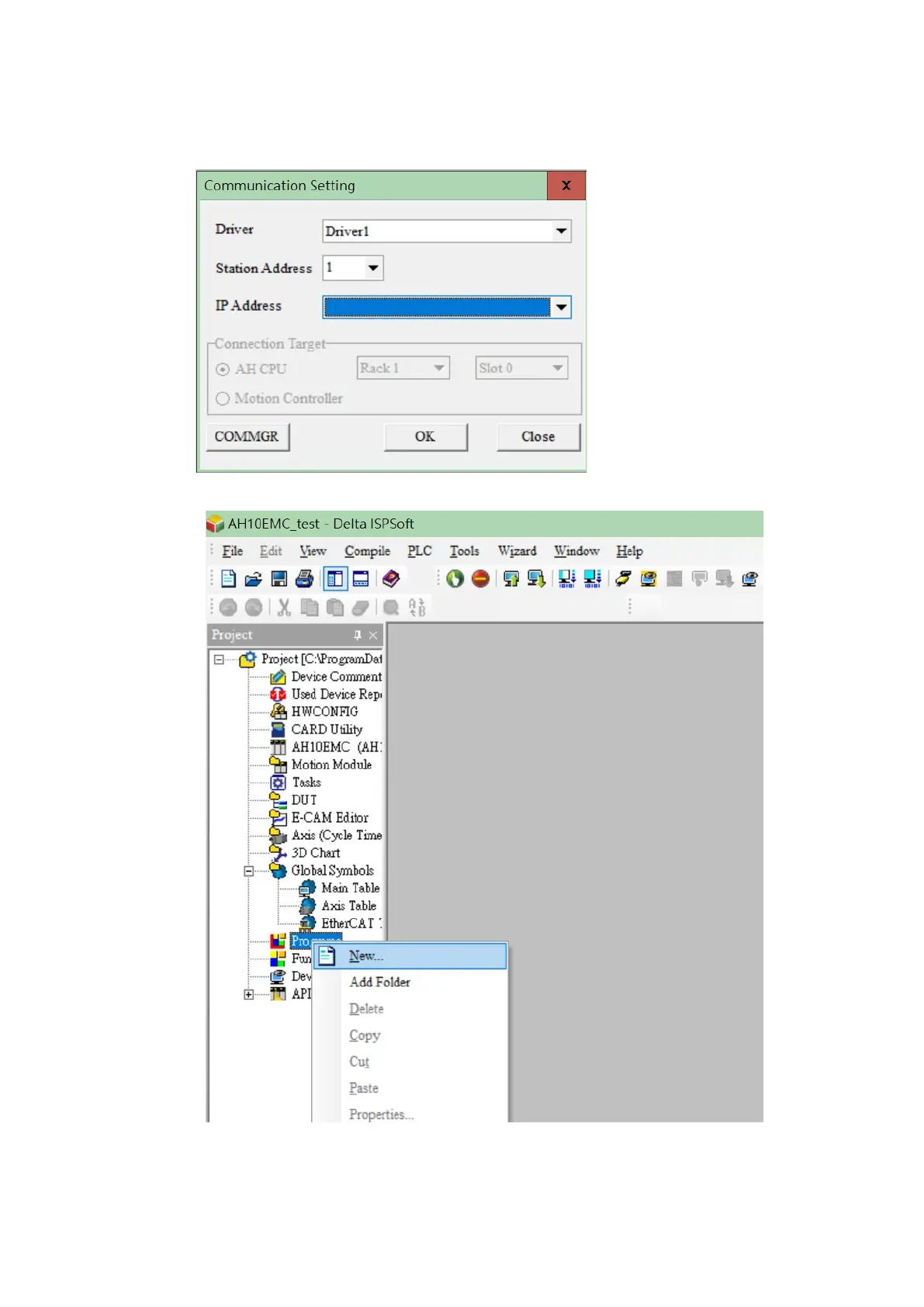
6. Select a name for the Driver (the driver name which you created in step 2 of COMMGR). Then select
an IP Address 192.168.1.1.
7. In the Project area, click on Program then click New to create a blank program.
Send Quote Requests to info@automatedpt.com
Call +1(800)985-6929 To Order or Order Online At Deltaacdrives.com
Send Quote Requests to info@automatedpt.com
Call +1(800)985-6929 To Order or Order Online At Deltaacdrives.com



 To Next Page