21
1. For detailed information about the communication interfaces, please refer to
4. Communication Interfaces
.
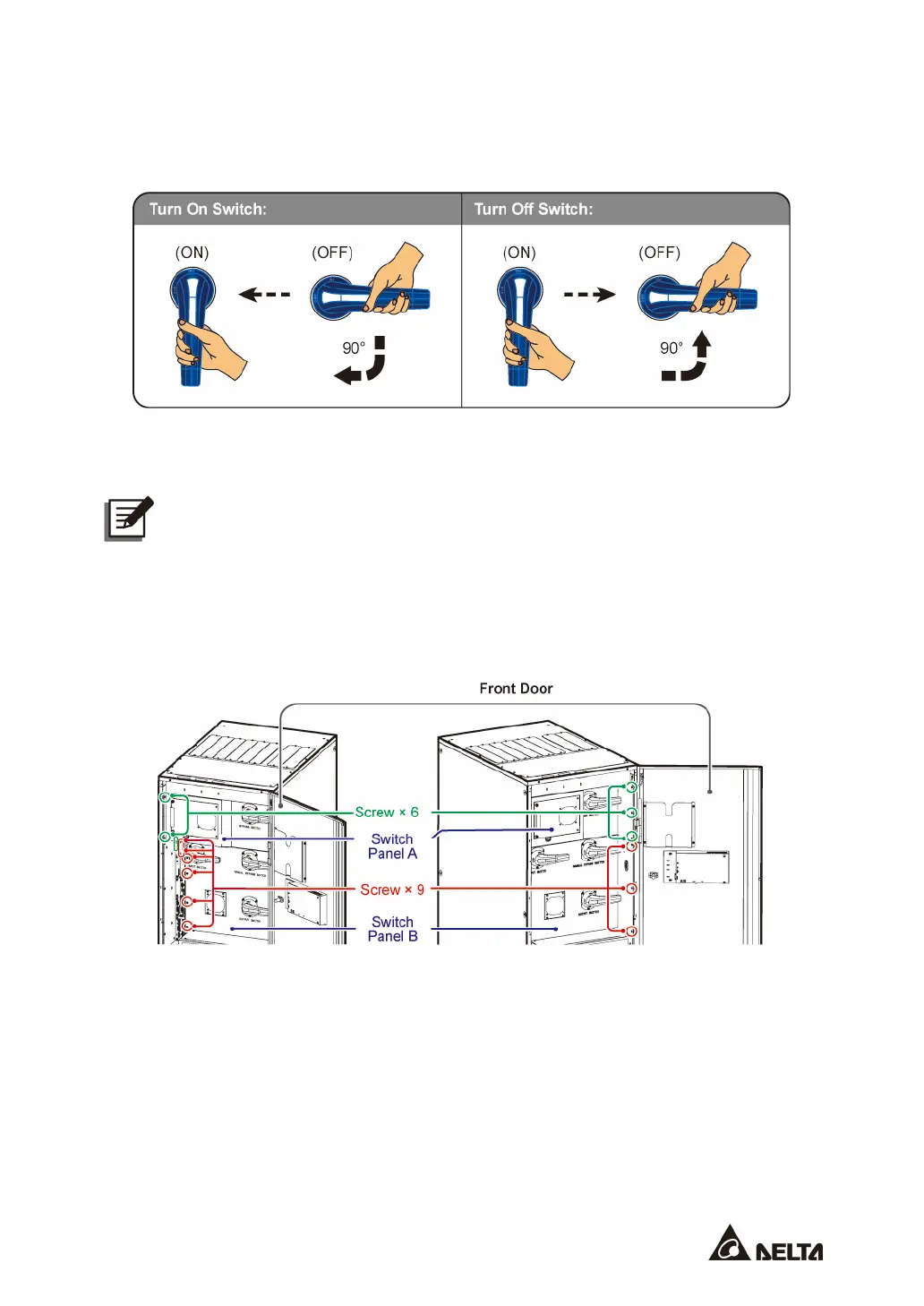
2. About how to turn on/ turn off the switch, please refer to
Figure 2-10
.
(Figure 2-10: Turn on/ off the Switch)
3. The power outlet (220/ 230/ 240Vac, 3.15A) is without galvanic isolation.
NOTE:
Only authorized Delta engineers or service personnel can use the power outlet. If
you want to use the power outlet by yourself, it must be under the supervision of
authorized Delta engineers or service personnel.
4. The system fans are for heat dissipation of the internal bus bars and the battery fuses.
5. To see the wiring terminals, please remove the switch panels.
(Figure 2-11: 300kVA UPS_ Location of the Switch Panels and Screws)











 To Next Page