75
Step 5
Make sure that the Input Switch (Q1), Bypass Switch (Q2), Manual Bypass Switch (Q3), and
Output Switch (Q4) are in the
OFF
position.
Step 6
Make sure each external battery cabinet’s breaker (Q5) is in the
OFF
position.
Step 7
Follow
Table 5-2
to select proper input, output, and battery cables.
Step 8
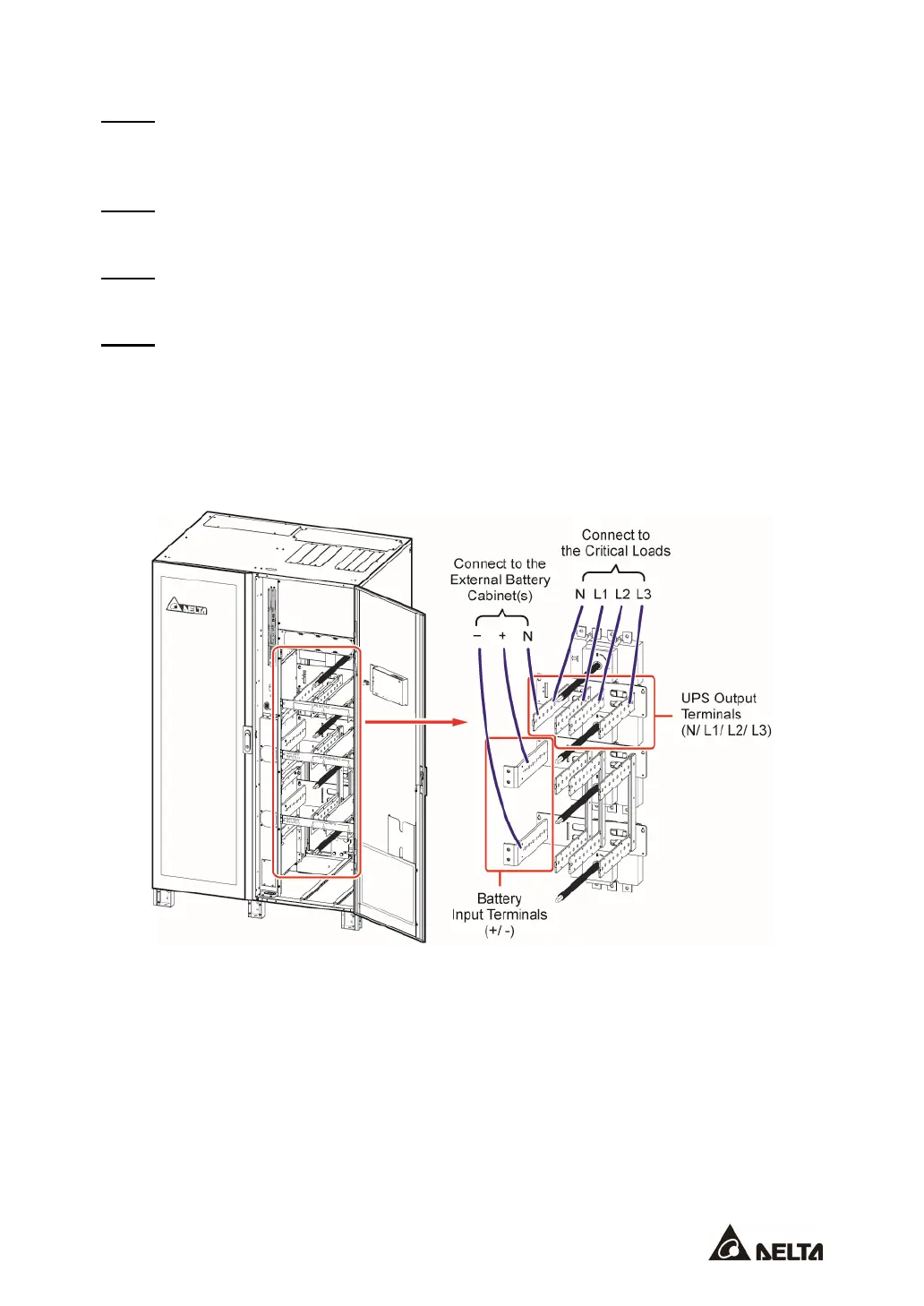
Connect the cables of the main AC source, output and external battery cabinet(s) to the
UPS. Please refer to
Table 5-3
,
5.5 External Battery Cabinet Connection Warnings
and
the following diagrams to perform wiring.
Single Input_ Top Wiring_ Step 1
(Figure 5-26: 400/ 500/ 600kVA UPS Single Unit Single Input_ Top Wiring_ Step 1)











 To Next Page