Ultron DPS Series
88
Step 4
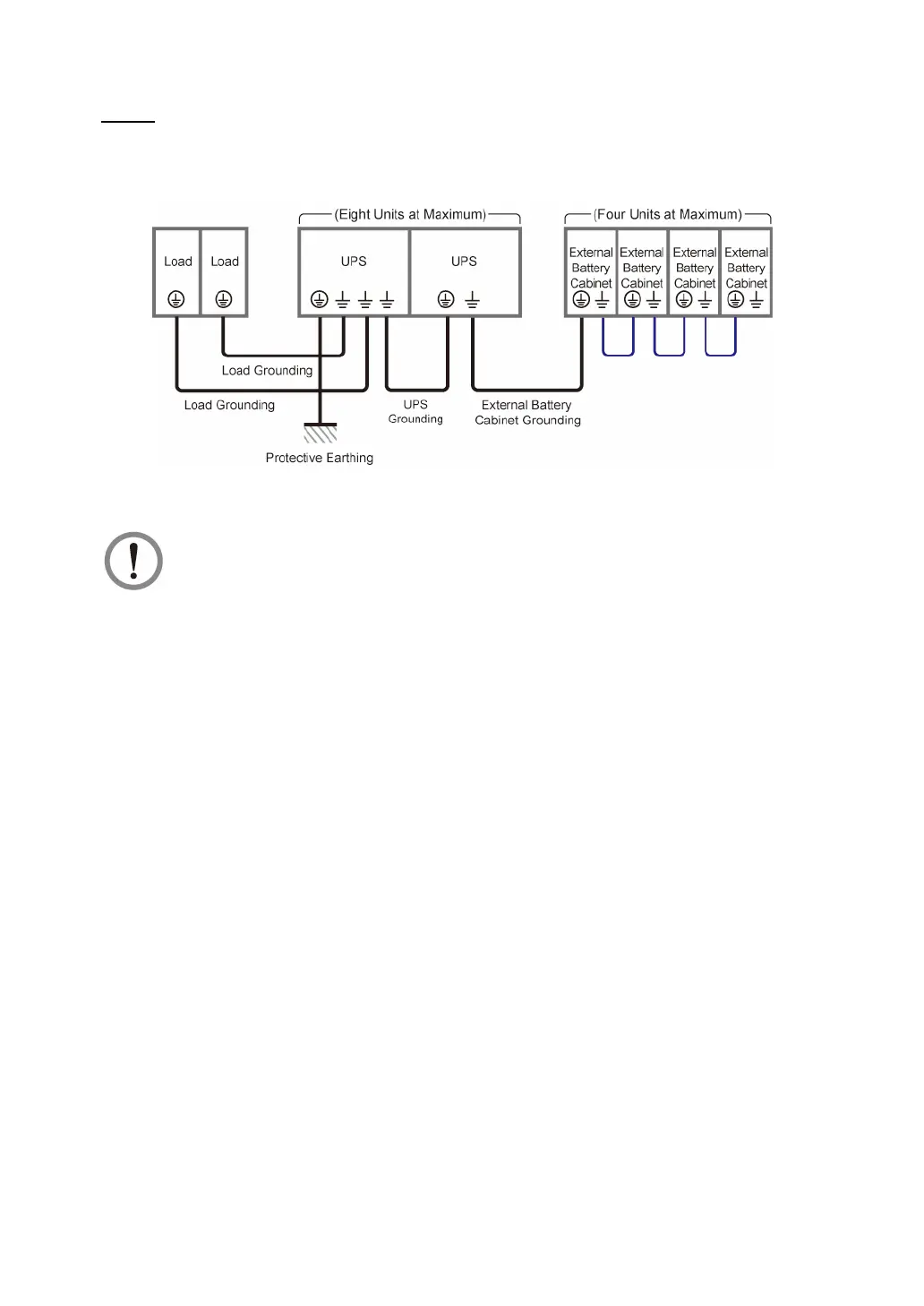
Follow the figure below to ground the parallel UPS units, external battery cabinet(s) and
connected critical loads.
(Figure 5-45: Grounding Diagram_ Parallel Units)
WARNING:
Before start-up of the parallel units, qualified service personnel must set each
UPS’s '
Parallel Group ID
' (1 or 2) and '
Parallel ID
' (1 ~ 8) through the LCD.
Otherwise, the parallel UPSs cannot be started. Please refer to
7.6.5 Parallel
Setting
.











 To Next Page