9
Chapter 3 Operation Panel
Chapter 3 : Operation Panel
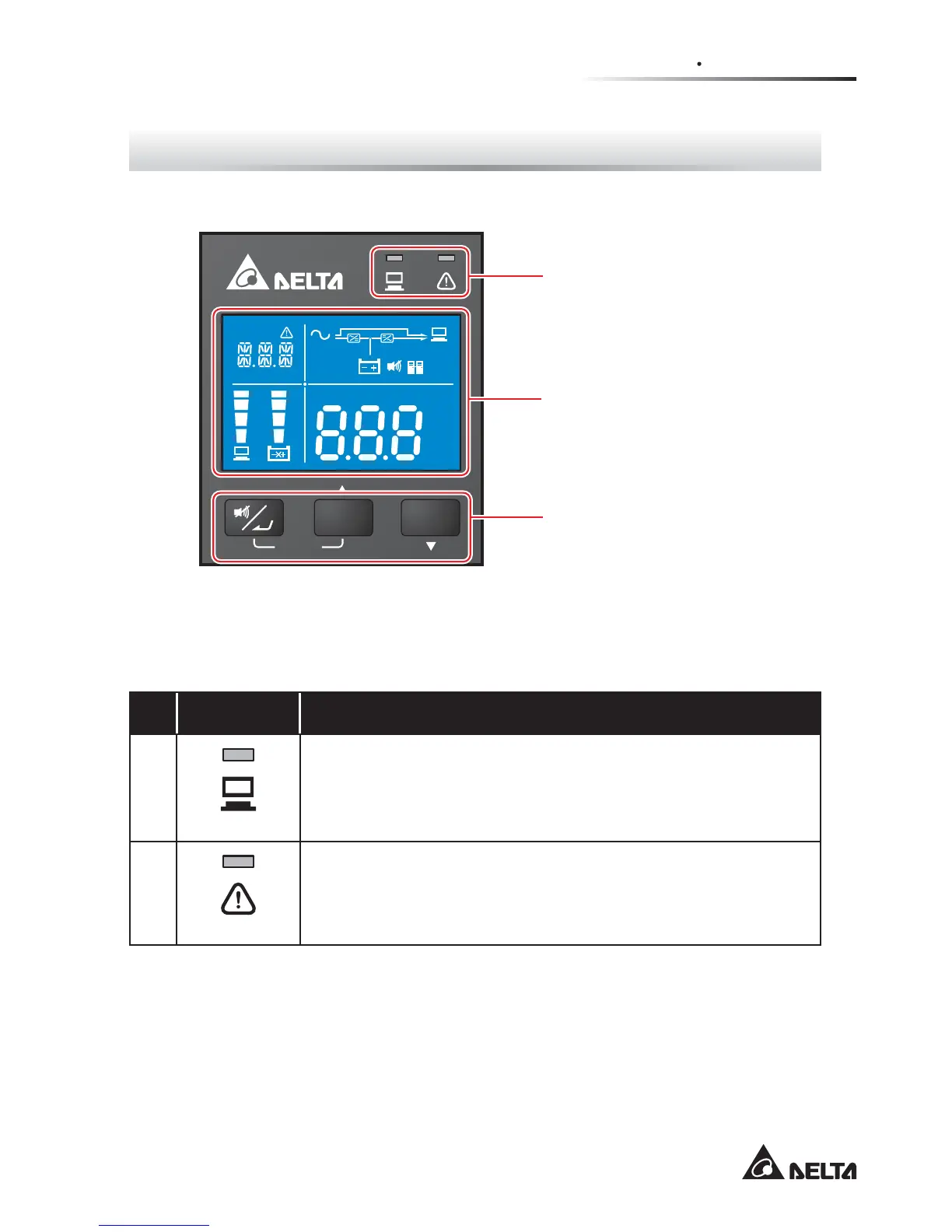
)LJXUH2SHUDWLRQ3DQHO
ON OFF
SETUP
Hz
KW
KVA
AH
MIN
MIN
ECO
V
V
%
IN
SET IN OUT BATT
RUN TIME
°C
LOAD TEST
3.1 LED Indicators
3.3 LCD Display (including
3.4 7-Segment Display &
3.5 16-Segment Display)
3.2 Multi-function Buttons
3.1 LED Indicators
No. LED Description
1
Indicates the output status.
1. On (green): There is output.
2. Off: There is no output.
2
Indicates the warning status.
1. On (red): The UPS is in failure mode.
2. Flash (red): The UPS’s working conditions are abnormal.








 To Next Page