36
Amplon N Series
3. Frequency converter setup
4. ECO mode setup
5. Overload alarm setup
6. Buzzer setup
7. Charge current setup
8. Battery capacity setup
9. Battery string setup
10. Parallel ID setup
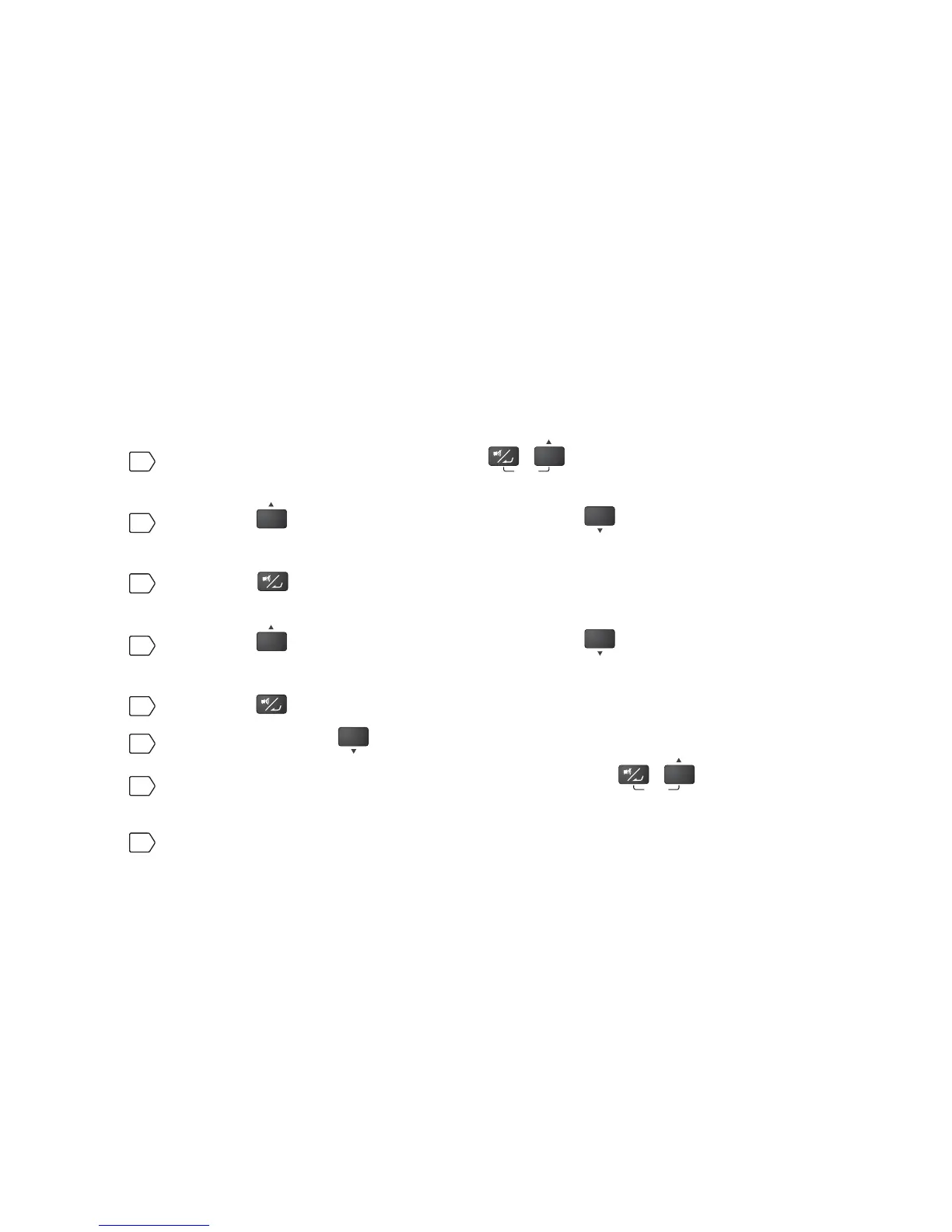
For setup procedures, please refer to the following:
1
Simultaneously press the two buttons
ON
SETUP
for 3 seconds to enter into the
setup mode.
2
Press the
ON
button for 0.1 second or press the
OFF
button for 0.1 second to
view the previous or the next display.
3
Press the button for 0.1 second to enter into the item that you want to set
up.
4
Press the
ON
button for 0.1 second or press the
OFF
button for 0.1 second to
increase or decrease the parameter value.
5
Press the EXWWRQIRUVHFRQGWRFRQ¿UP\RXUSDUDPHWHUVHWXS
6
After that, press the
OFF
button for 0.1 second to go to the next setup item.
7
In setup mode, simultaneously press the two buttons
ON
SETUP
for 3 seconds,
the LCD will exit from the setup mode.
8
In setup mode, if you don’t press any button for more than 2 minutes, the LCD
will exit from the setup mode and go back to the original display automatically.








 To Next Page