26
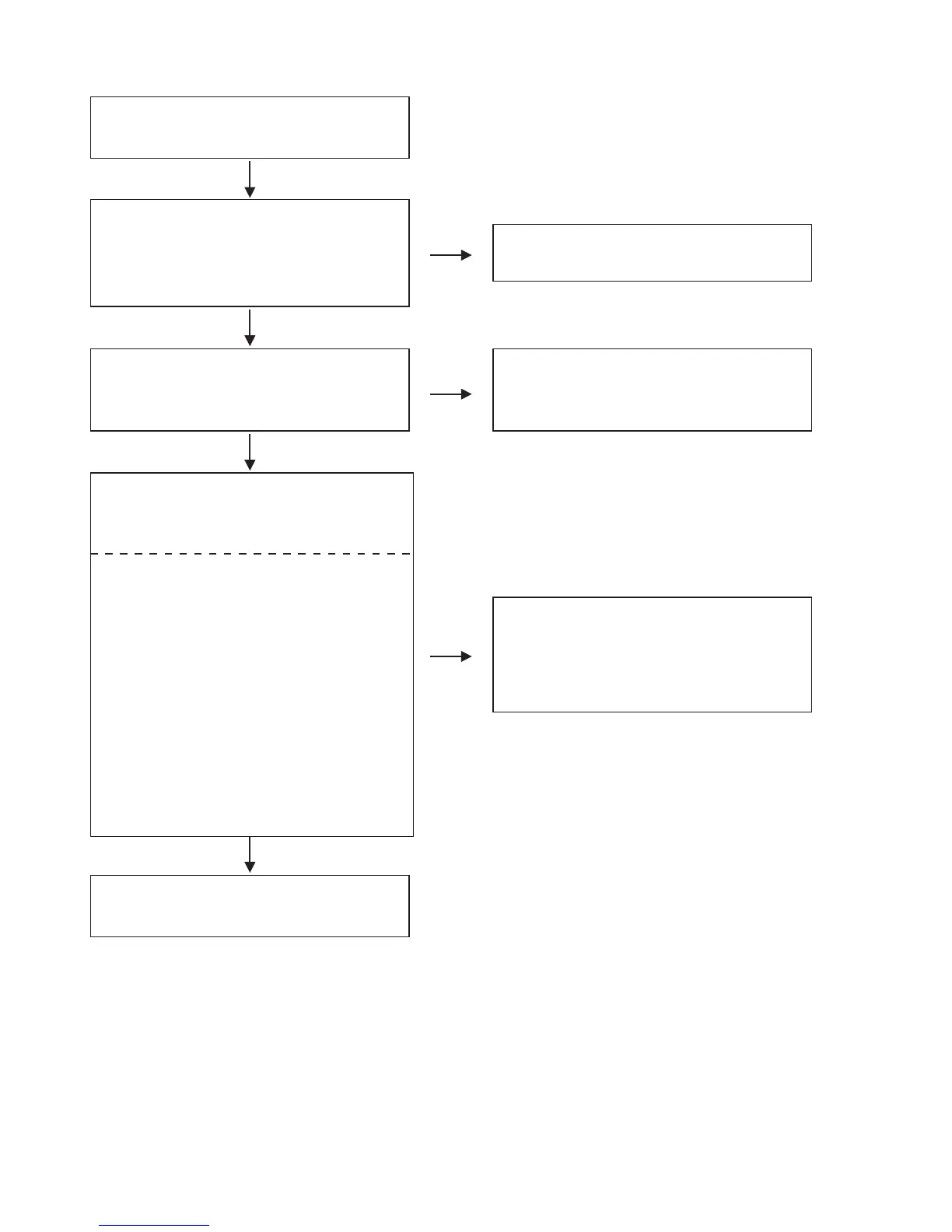
O.K.
O.K.
O.K.
N.G.
N.G.
N.G.
The key operation is not functioning.
Are the contact point and the installation state of
the key switches (SW101
~
SW133,
SW135
~
SW174), rotary switches
(SW134,SW175,SW176,SW179,SW180) and rotary
encoder (SW177) nomal?
Re-install the switches correctly or replace the poor
switch.
Does LED (D50
~
D203) light correctly?
Check the Q50,Q101
~
Q114,Q119
~
Q126,
Q129
~
Q138 and their periphery, and replace it if
defective.
Check key switches(SW101
~
SW133,SW135
~
SW174), rotary switches(SW134,SW175,SW176,
SW179,SW180), rotary encoder(SW177) and their
periphery, and replace it if defective.
When pressing each key switches, turning
rotary switches and turning rotary encoder, does
the voltage of each pin of IC100(shown below)
increase?
Key switches
SW100
~
SW102,SW124
~
SW129 : IC100 26pin
SW103,SW104,SW130
~
SW133,SW135
~
SW137
: IC100 27pin
SW106
~
SW108,SW138
~
SW144 : IC100 28pin
SW109
~
SW111,SW145
~
SW150 : IC100 29pin
SW112
~
SW114,SW151
~
SW156 : IC100 30pin
SW115
~
SW117,SW157
~
SW162 : IC100 31pin
SW118
~
SW120,SW163
~
SW168 : IC100 32pin
SW121
~
SW123,SW169
~
SW174 : IC100 33pin
Rotary switches
S134,SW176 : IC100 37pin
SW175 : IC100 41pin
SW179,SW180 : IC100 47pin
Rotary encoder
SW177 : IC100 10,11pin
Replace IC100.
FLOW CHARTNo.9 (405-MC6000-2782 : CONTROL UNIT)



 To Next Page