22
Cue Loop Mode
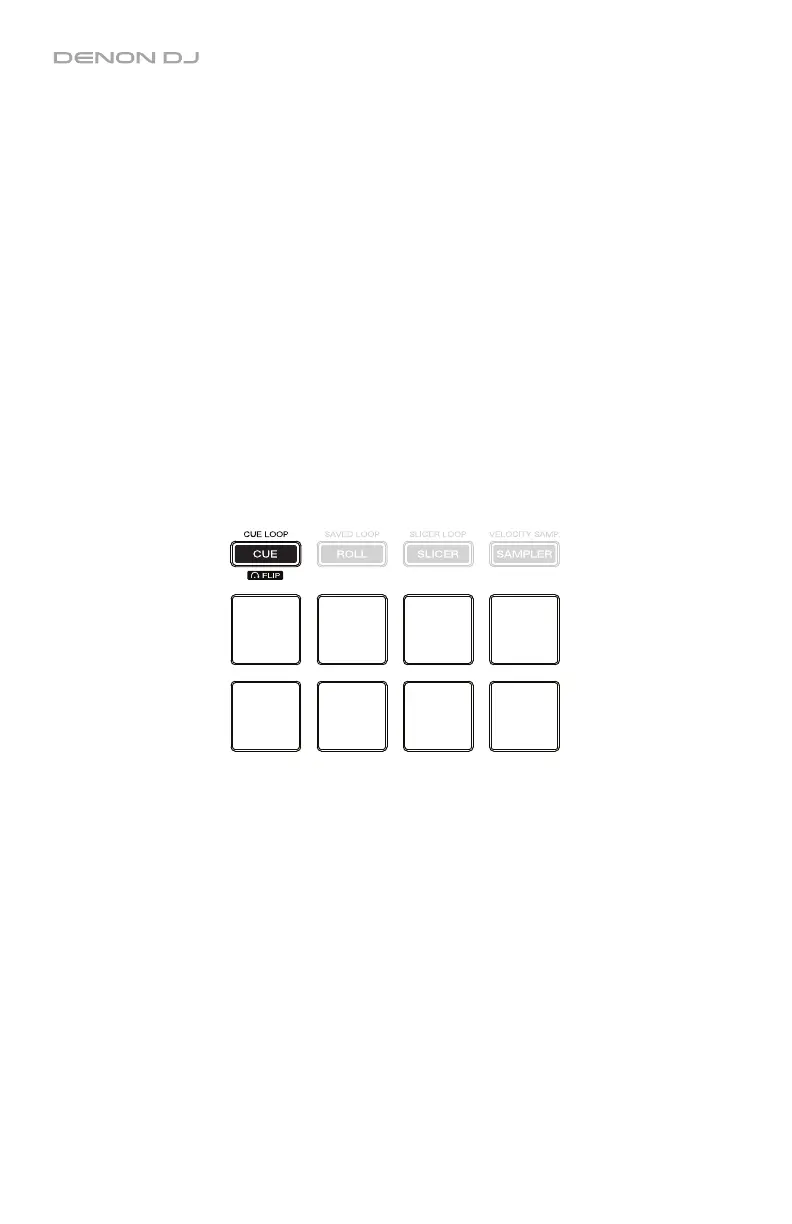
In Cue Loop Mode, each pad assigns a hot cue point or returns the track to that hot cue point
(like Cue Mode), but in both cases, it also creates an Auto-Loop at that point.
To enter Cue Loop Mode, press Cue / Cue Loop / Flip so that it lights green.
To assign a hot cue point and auto-loop, press an unlit pad at the desired point in your
track. The pad will light up when it is assigned.
To jump to a hot cue point and auto-loop, press a lit pad.
To delete an assigned hot cue point and auto-loop, press and hold Shift and press the
corresponding pad.
To set the length of the auto-loop, select it in the software. See the Serato DJ manual to
learn how to do this.
To halve or double the length of a current auto-loop, press X1/2 or X2, respectively.
To shift the loop left or right, use the / buttons.
To immediately activate a 4-bar or 8-bar auto-loop, press and hold Shift and then press
the or button, respectively.
Cue+
Auto-Loop
1
Cue+
Auto-Loop
2
Cue+
Auto-Loop
3
Cue+
Auto-Loop
4
Cue+
Auto-Loop
5
Cue+
Auto-Loop
6
Cue+
Auto-Loop
7
Cue+
Auto-Loop
8


 To Next Page