36
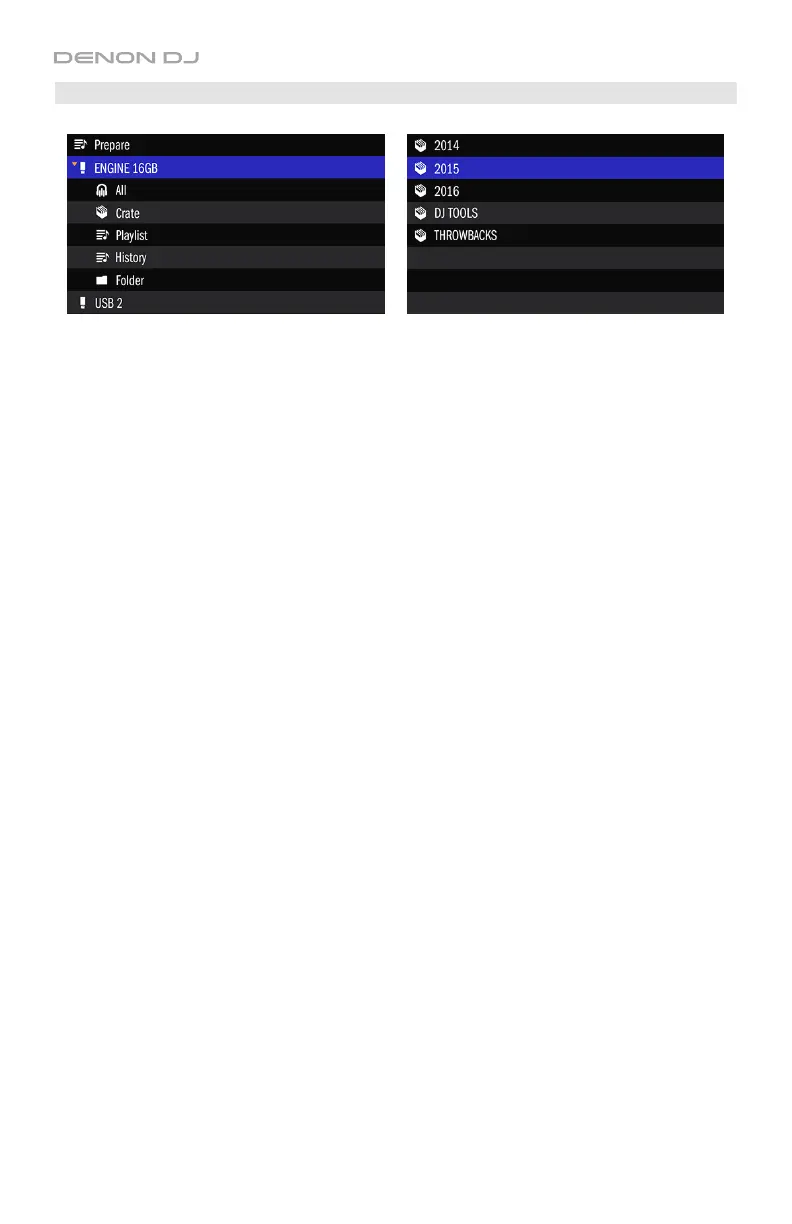
Crates
Using the computer version of Engine software, you can manage the tracks in your Engine
Target databases by sorting them into “crates.” A crate will reference the tracks in it as well as
the tracks in any sub-crates below it. You can create up to 8 levels of sub-crates. Multiple
sub-crates can be created on the same level.
The tracks in each crate will be sorted by their titles.
To enter a crate or sub-crate, press the Select/Load Knob when a crate or sub-crate is
selected.
After you enter a crate:
• If the crate has no sub-crates, you will see a list of categories by which you can sort
them. See the Categories section to learn about this feature.
• If the crate has sub-crates, you will see the list of sub-crates under the “parent” crate. You
can then use the Select/Load Knob to select the “parent” crate or one of the sub-crates.
To load a track to a deck, turn the Select/Load Knob to select a track, and then press the
Select/Load Knob to load it.
See the Engine User Guide to learn how to manage crates in your Engine Target database.


 To Next Page