44
Slicer Mode
Important: Your track must have a BPM for this mode to work.
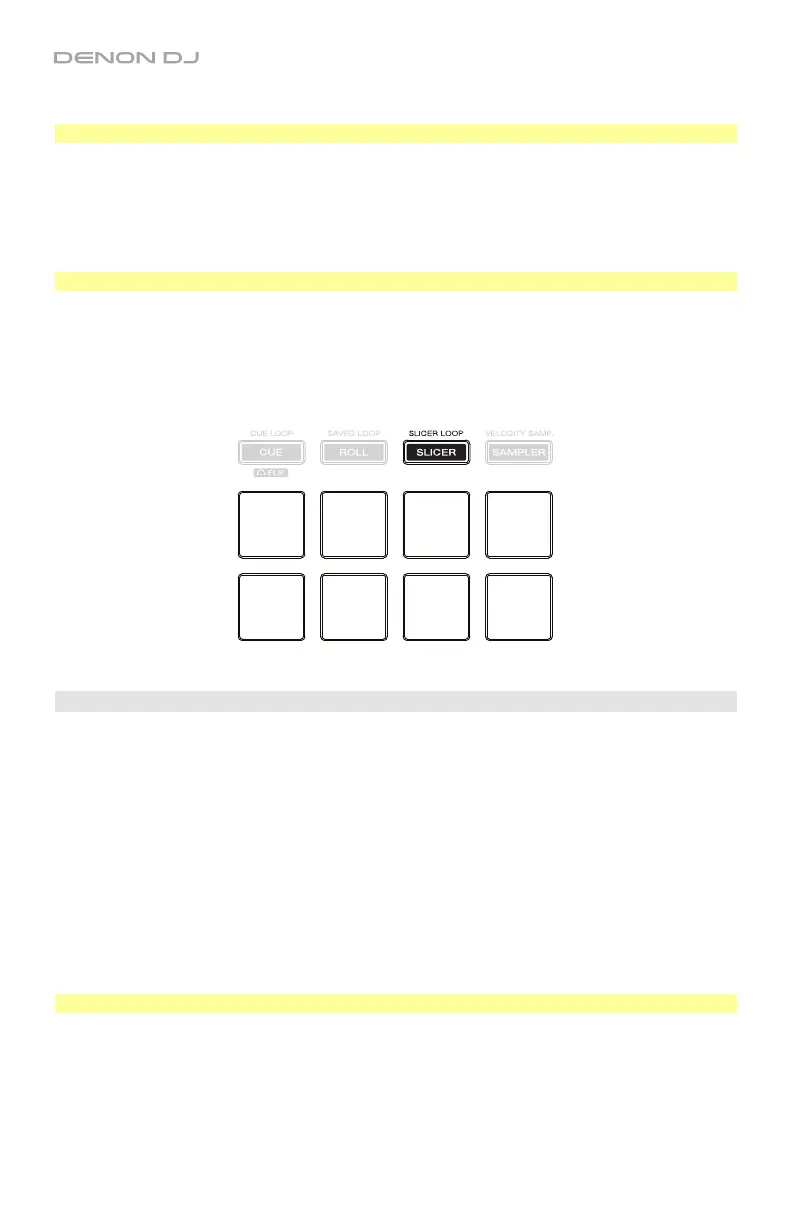
In Slicer Loop Mode, Pads 1–4 (the top row) represent four sequential beats—“Slices”—in the
beatgrid. The currently playing slice is represented by the currently lit pad; the light will “move
through the pads” as it progresses through the four-slice phrase, which will loop (this is the
difference between this mode and Slicer Mode). You can press a pad to play that slice. When
you release the pad, the track will resume normal playback from where it would have been in the
loop if you had never pressed it (i.e., as if the track had been playing forward the whole time).
Important: Slicer Mode in Engine is limited to 4 beats.
To enter Slicer Mode, press Slicer / Slicer Loop so that it lights red. A 4-beat auto-loop will
be automatically created and activated at the current location.
To play a slice, press the corresponding pad (1–4).
To change the slice quantization size, press the corresponding pad (5–8).
To shift the loop the left or right, use the / buttons.
Effects
While using Engine on a deck, you can apply Echo, Phaser, or Noise effects.
To turn an effect on or off, press FX On / Select button under the effect slot on the desired
deck. The active effect’s meter will be orange, while the inactive effects will be grey. You can
use only one effect at a time.
To adjust the level of an effect, turn the FX Level knob under the effect parameter on the
desired deck.
To adjust the Effect Beats Multiplier, turn the FX Beats knob. This adjusts the rate of time-
based effects on that deck as a division or multiple of the current BPM.
Tip: To set the Effect Beats Multiplier to 1 beat, press the FX Beats knob.
To manually set the rate of time-based effects on a deck, press Tap repeatedly at the
desired tempo.
To reset the rate to the time-based effects on a deck, press and hold Tap for 2 seconds.
This will erase the manually entered rate and use the BPM information from the track.
Slice 1
Slice 2
Slice 3
Slice 4
Slice Size:
1/8 beat
Slice Size:
1/4 beat
Slice Size:
1/2 beat
Slice Size:
1 beat


 To Next Page