35
Categories
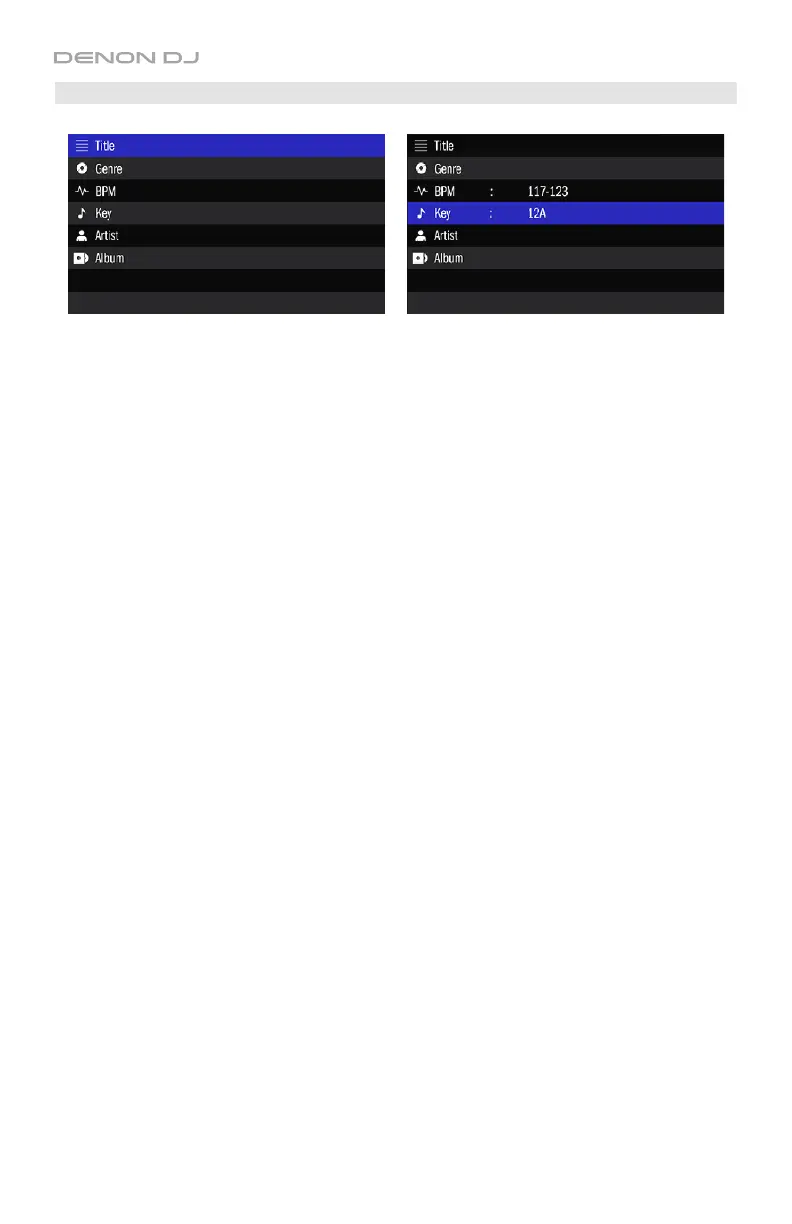
Before seeing a list of tracks under All or a crate, you will see a list of categories by which you
can filter them: Title, Genre, BPM, Key, Artist, and Album.
These categories enable you to display tracks only when they belong to the category/categories
you select. You can select an option in one or more categories.
To select an option in a category:
1. Turn the Select/Load Knob to select a category, and then press the Select/Load Knob to
enter the category.
2. The display will show a list of options, depending on the category you entered:
• Title: All available tracks based on the other 5 categories.
• Genre: The genres of all tracks in the Engine Target database. Tracks without a genre
ID3 tag will appear as <unknown>.
• BPM: A list of BPM ranges. Tracks without a BPM ID3 tag will appear as Unanalyzed.
• Key: The keys of all tracks in the Engine Target database. Tracks without a key ID3
tag will appear as <unknown>.
• Artist: The artists of all tracks in the Engine Target database. Tracks without an artist
ID3 tag will appear as <unknown>.
• Album: The albums of all tracks in the Engine Target database. Tracks without an
album ID3 tag will appear as <unknown>.
Turn the Select/Load Knob to select an option, and then press the Select/Load Knob to
apply it. The display will immediately show all relevant tracks.
To load a track to a deck, turn the Select/Load Knob to select a track, and then press
the Select/Load Knob to load it.
To return to list of options, press Back
/Clr.
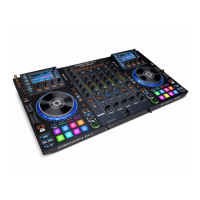
To return to the list of categories, press Back/Clr again. The category will show the
currently selected option.
To select options in other categories, repeat Steps 1–2.
To clear a category, select a category that shows the selected option next to it, and then
press Back/Clr. The option will disappear.


 To Next Page