57
Beat Break Parameter Value Range
This effect samples the 4 beats of each bar of the original
signal and replays them (within the same bar) according to a
preset pattern, creating a “stuttering,” “breakbeat” effect.
Pattern See below
Frequency <60 Hz – <18.2 kHz, All Bands,
>60 Hz – >18.2 kHz
Beats 1/32, 1
16, 1/8, 1/4, 1/2, 3/4, 1, 2, 4, 8
Dry/Wet 0–100
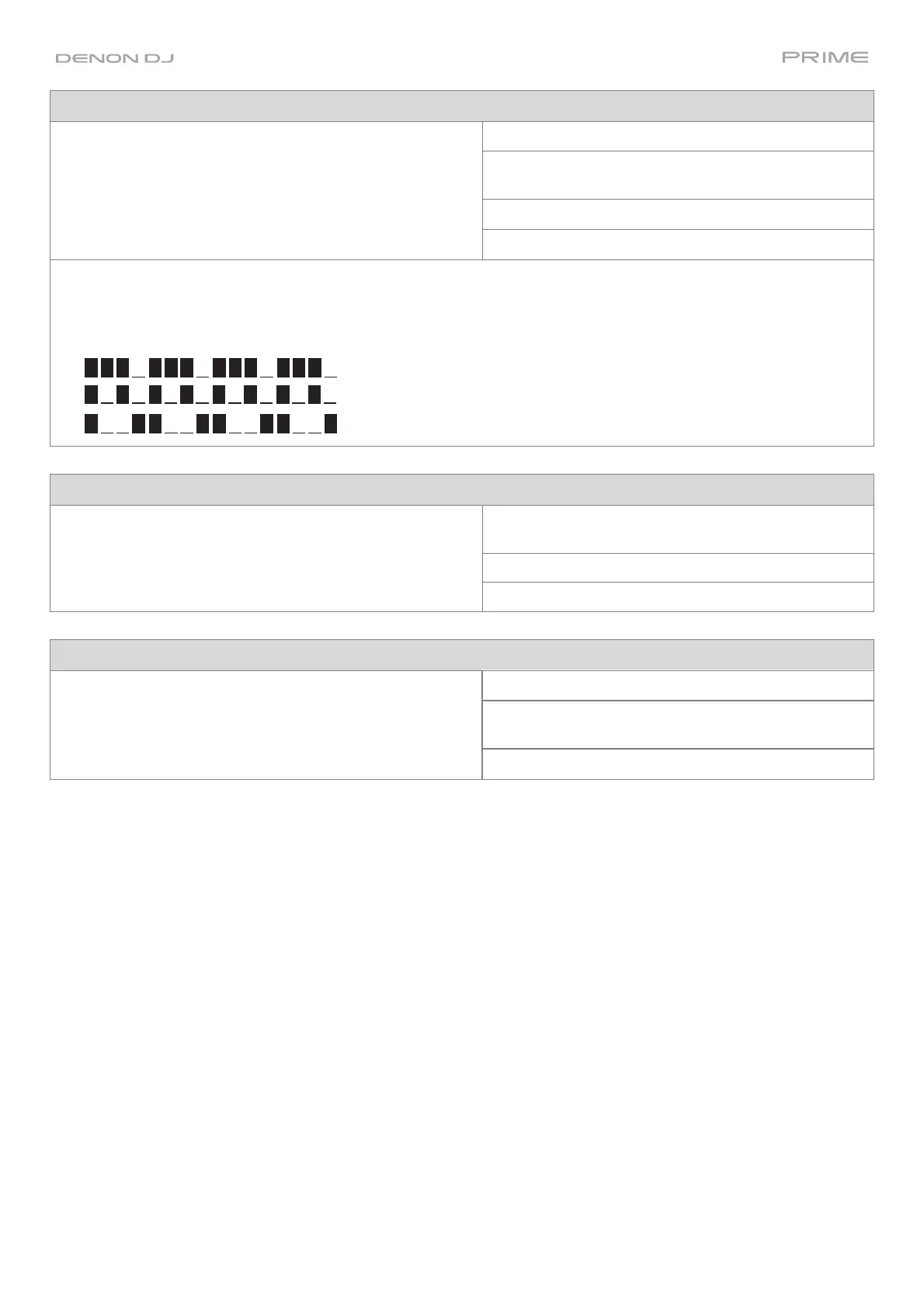
To select a pattern to use, turn the FX Parameter knob to select one of 10 patterns, as shown in the second
display. The 16 blocks ( █ ) and/or lines ( __ ) below it indicate the rhythm of the current pattern similarly to a drum
machine’s step sequencer: a block represents a “hit”/”strike” and a line represents a rest.
Examples:
(indicates a hit on every 8th note)
Scratch Parameter Value Range
This effect alternates between normal and reverse playback
of each beat, creating a vinyl-scratching effect.
Frequency <60 Hz – <18.2 kHz, All Bands,
>60 Hz – >18.2 kHz
Beats 1/32, 1/16, 1/8, 1/4, 1/2, 3/4, 1, 2, 4, 8
Dry/Wet 0–100
Re
erb Parameter
alue Range
This effect adds reverberation to the original signal. Decay 0–100
Frequency <60 Hz – <18.2 kHz, All Bands,
>60 Hz – >18.2 kHz
Dry/Wet 0–100



 To Next Page
 Loading...