7
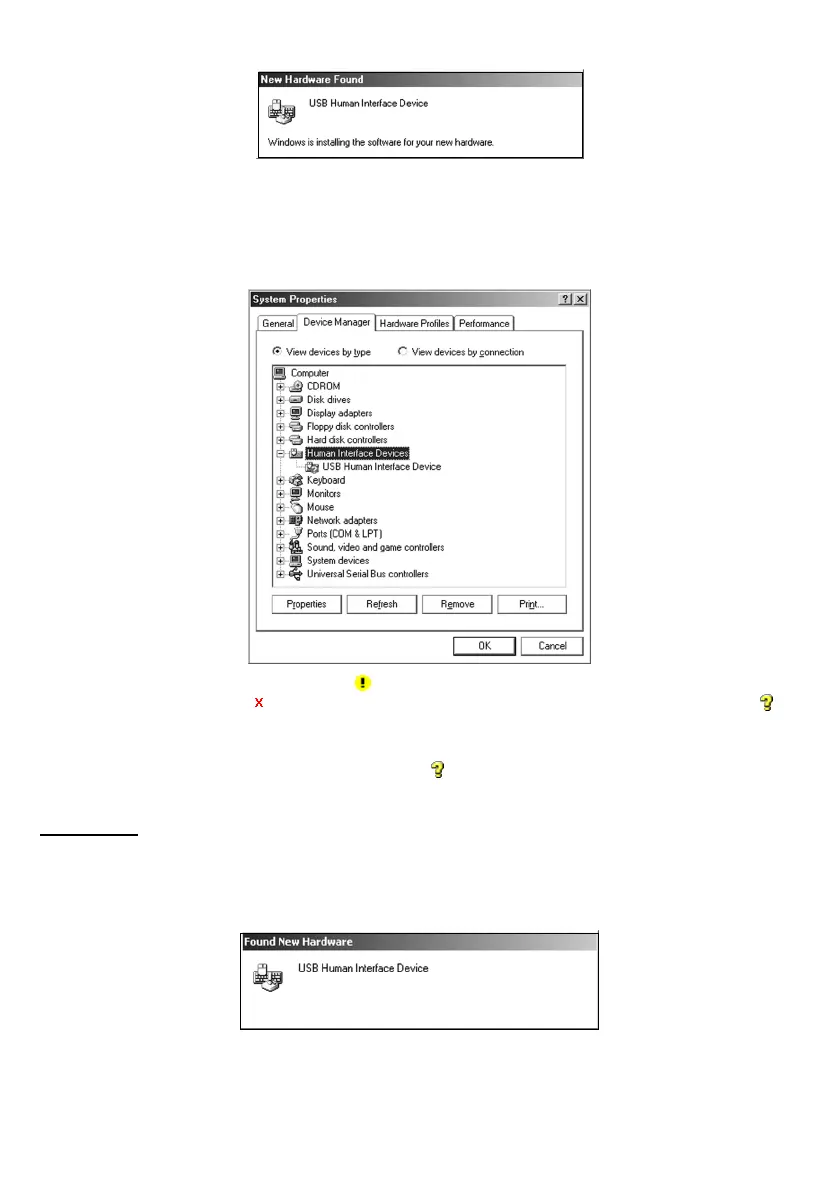
New Hardware Found wizard starts.
(3) Wait for a moment. Windows will automatically configure the scanner. Upon completion of installation, the finish
screen appears instead of the screen above. Click Finish to return to Windows.
(4) To check whether the USB device is working normally, open the Windows’ Device Manager.
If USB Human Interface Device is added to the sub-tree of Human Interface Devices as shown below, the scanner
is connected normally.
If the device is not listed or it is marked with
, the device is not working normally. Perform the connection process
above again. If marked with
, the device is disabled, so enable it in the Property dialog. If marked with a , the
device is working normally*.
* The scanner is designed to work with the default device driver of Windows Me but the device name is not officially
registered to the driver, so the device is marked with an
.
There is no problem with driver operation.
Windows 2000
(1) Switch the computer on to run Windows 2000. Log on as an Administrator.
(2) Connect the scanner interface cable to the computer or USB hub.
Found New Hardware wizard starts.
(3) Wait for a moment. Windows will automatically configure the scanner. Upon completion of installation, the finish
screen appears instead of the screen above. Click Finish to return to Windows.



 To Next Page