12
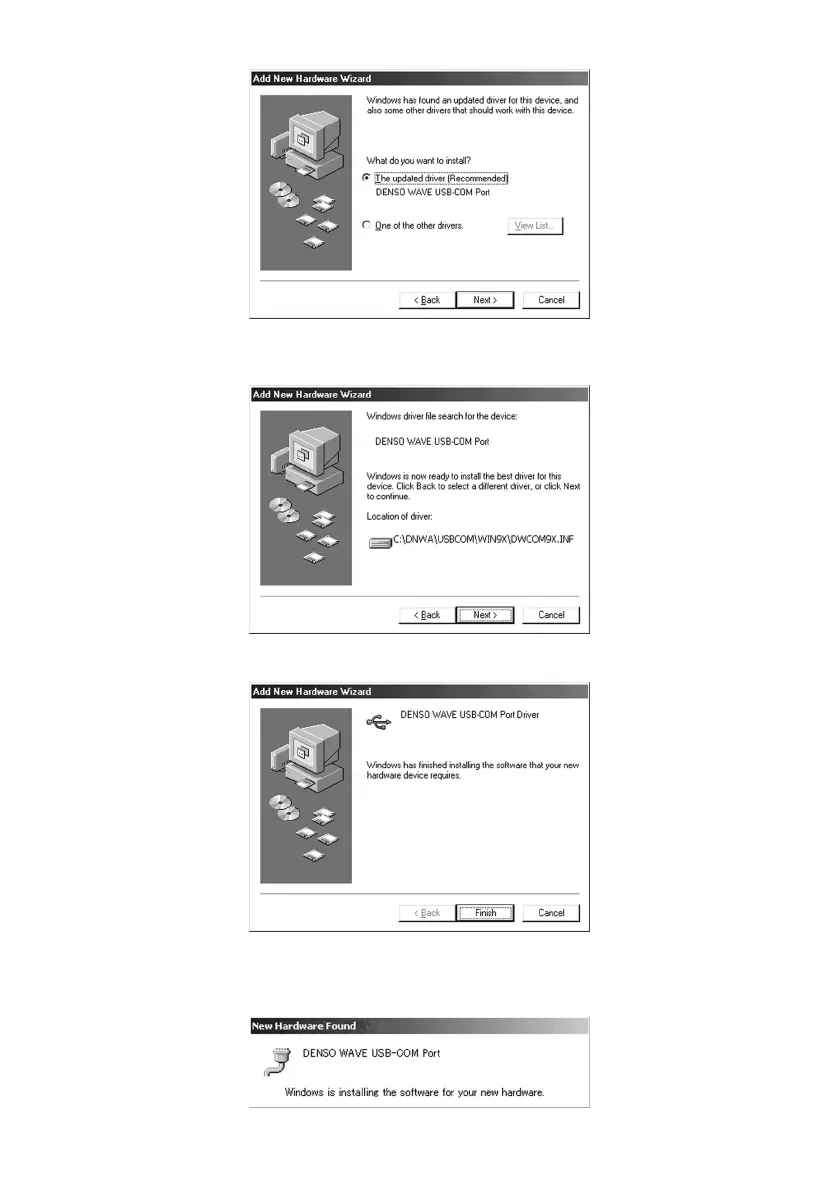
(6) If "DENSO WAVE USB-COM Port" is found as "The updated driver (Recommended)", then click Next.
(7) If the following screen appears showing that Windows is now ready to install the best driver for the DENSO WAVE
USB-COM Port, then click Next.
(8) If the following screen appears, click Finish.
When copying driver files is finished, "New Hardware Found" messages for "Unknown device" and "DENSO WAVE
USB-COM Port" appear in this order.
All installation processes are completed.



 To Next Page