13
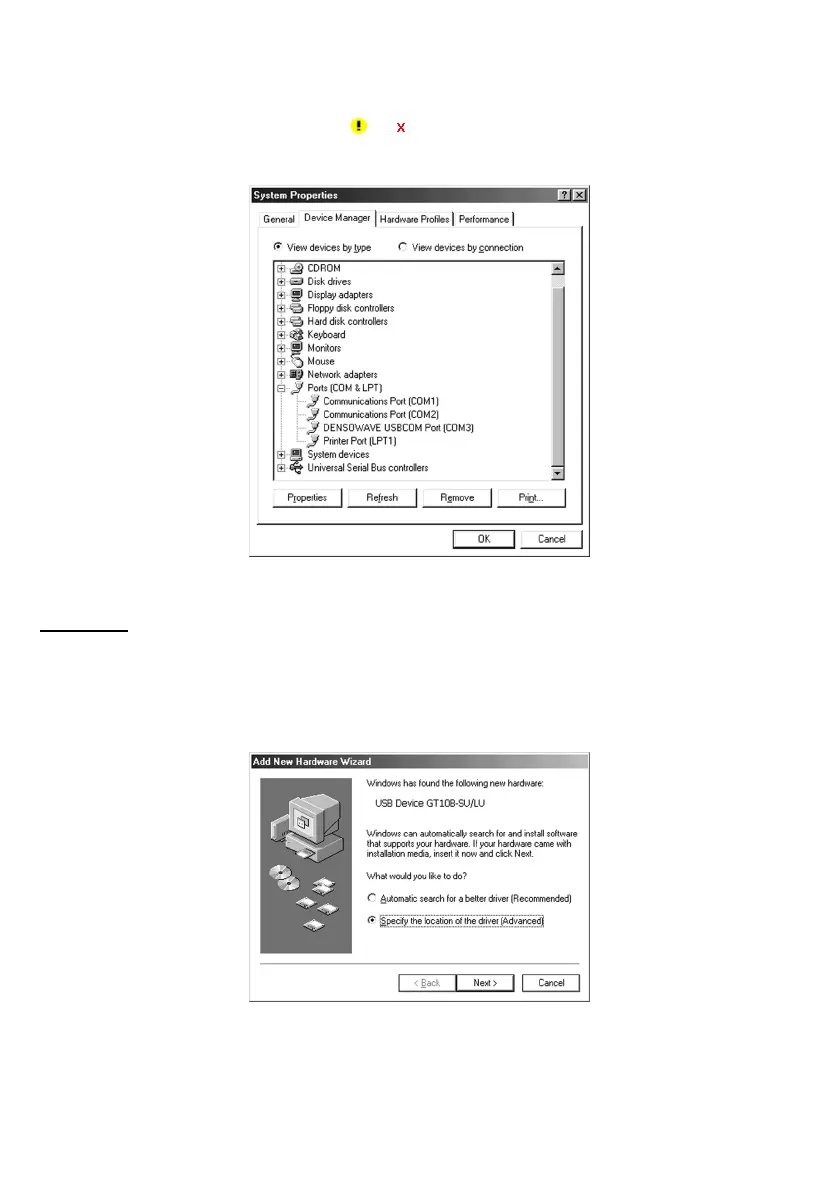
(9) To make sure that the USB-COM device driver has been successfully installed, open the Windows’ Device Manager.
If DENSO WAVE USB-COM Port is added to the sub-tree of Ports (COM & LPT) as shown below, the scanner
is connected normally.
If the device is not added or it is marked with
or , remove this driver with the uninstaller, reboot your computer,
and perform the above connection process again.
Windows Me
(1) Switch the computer on to run Windows Me.
(2) Connect the scanner to the computer or USB hub.
The Add New Hardware Wizard starts.
(3) Select Specify the location of the driver (Advanced), then click Next.



 To Next Page