14
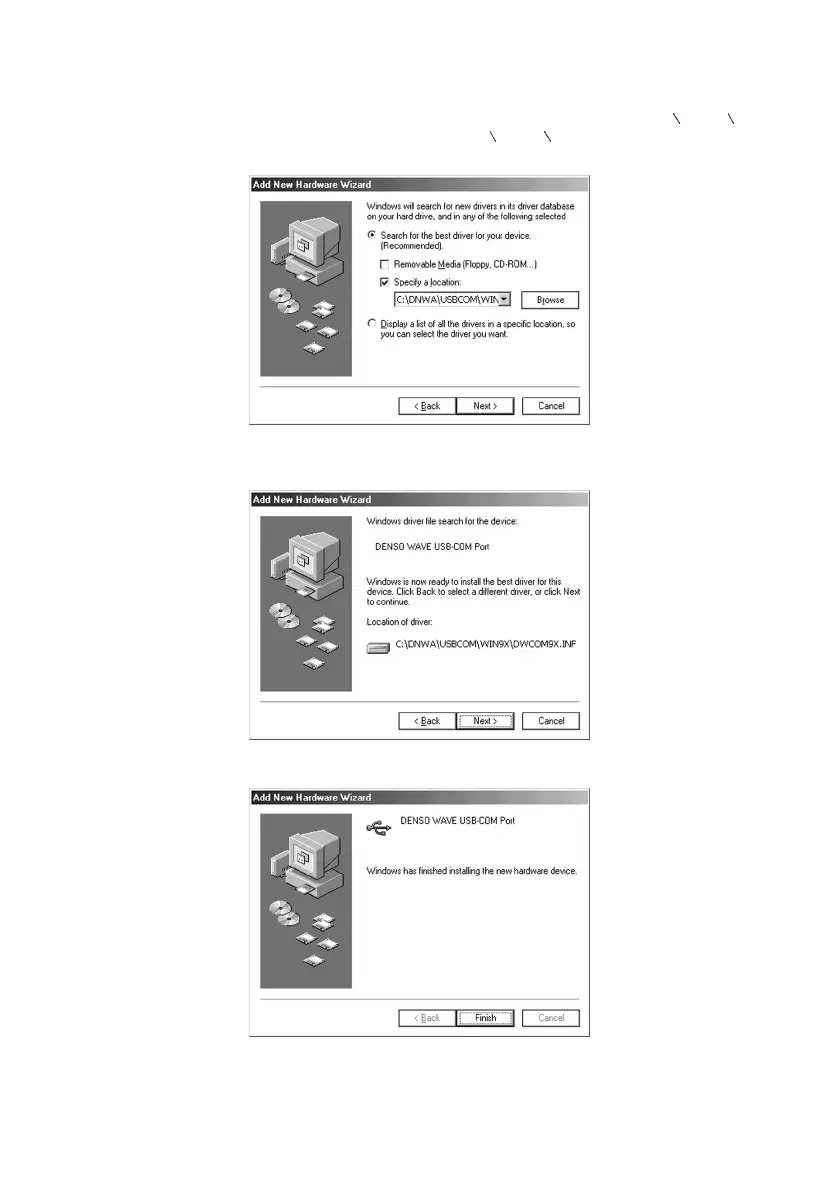
(4) Select Search for the best driver for your device (Recommended) and the Specify a location check box, specify
the WIN9X folder in a folder where the downloaded file has been extracted, and then click Next.
Note: Do not specify any folder other than the WIN9X. Doing so might affect the system.
Note: The sample window below shows that the downloaded file is stored and extracted in the C:
DNWA USBCOM
folder. Specify the appropriate folder in your computer instead of C:
DNWA USBCOM.
(5) If the following screen appears showing that Windows is now ready to install the best driver for the DENSO WAVE
USB-COM Port, then click Next.
(6) If the following screen appears, click Finish.



 To Next Page